






Ask your labor cost data anything. Get answers in seconds.

Ellie is ClickTime's AI assistant for understanding labor costs, project budgets, billable hours, and team capacity. Ask questions in plain language, generate charts and dashboards, and get insights directly from your ClickTime data without building reports from scratch.

Get a demo
Trusted by thousands of companies of all sizes

From labor data to answers, without the manual reporting

Your team's hours, project budgets, and labor costs are already in ClickTime. But answering a question about them often means selecting report fields, applying filters, exporting data, and building charts.

Ellie simplifies that process. Ask a question about your labor data, and Ellie retrieves the relevant information from ClickTime and presents it as an answer, chart, or table. Follow up with more specific questions, turn the results into visualizations, and organize them into dashboards.

Ellie works with your existing ClickTime data and respects your account permissions. It helps you understand the numbers without changing the underlying records.

‍

‍

Answers without manual reports

Ask about project costs, billable hours, budgets, or capacity and get answers without configuring a new report.

Charts and dashboards from prompts

Generate visualizations, combine them into dashboards, and save the views you need for recurring reporting.

Insights grounded in ClickTime data

Ellie retrieves numbers from ClickTime rather than generating estimates, with access limited by your account permissions.

Ask Ellie: answers without the reporting work

Get the labor cost information you need, right inside ClickTime.

  • Ask about hours, labor costs, billing, budgets, expenses, and capacity by project, client, or team.
  • Refine results by date range, department, or billable status without starting over.
  • Get answers as text, charts, or sortable tables, based on your ClickTime data.
‍

Dashboards built from a prompt

Turn labor cost questions into visual dashboards without building reports from scratch.

  • Generate charts for project budgets, billable hours, labor costs, and capacity using plain-language prompts.
  • Combine charts and tables into dashboards you can customize, save, and revisit in ClickTime.
  • Export individual visualizations to PDF for board meetings, client reviews, and monthly reporting.

‍

AI time matching

Capture work activity and match it to the right projects and tasks, with less manual entry.

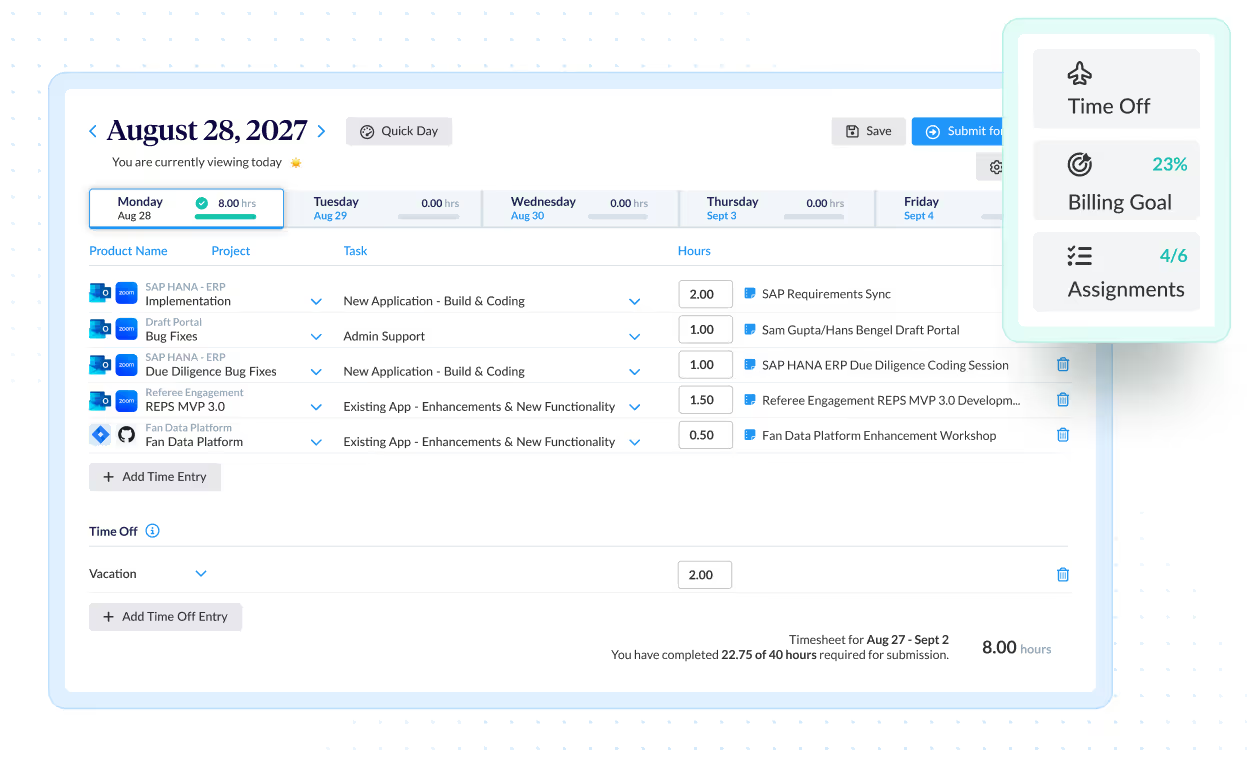
  • Bring calendar events, documents, Jira tickets, and GitHub commits into timesheets through Connections.
  • Ellie suggests the right client, project, and task for each activity.
  • Employees review suggested entries before importing them, improving the completeness of labor records.

‍

Integrations

Purpose-built for labor cost data, not pieced together

View all integrations

Every entry includes approval workflows, complete change history, and instant reporting. Whether it's R&D tax credits, client billing disputes, or grant compliance, you have defensible records without scrambling through spreadsheets or Jira logs.

ClickTime AI
ClickTime AI
ClickTime AI
ClickTime AI
ClickTime AI
ClickTime AI

Feature FAQs

What is Ellie by ClickTime?

Ellie is ClickTime's AI assistant for exploring labor data. Ask questions in plain language about employee hours, labor costs, project budgets, billing, expenses, and team capacity. Ellie uses your ClickTime data to provide answers, create charts, and build dashboards.

How does Ellie use AI for time tracking and reporting?

Ellie uses AI to understand questions about your ClickTime data and return relevant answers. It can also match activities captured through Connections to projects and tasks, helping employees review and complete their timesheets. For reporting, Ellie turns questions into answers, charts, and tables without requiring you to build a report manually.

‍

Can Ellie create reports and dashboards from a question?

Yes. Describe the information you want to see, such as labor cost by client, billable hours by month, or project budget utilization. Ellie creates visualizations from your ClickTime data that you can arrange into dashboards, save in ClickTime, and export individually as PDFs.

Can Ellie help identify projects that are approaching their budgets?

Yes. Ask Ellie which projects are closest to budget, compare budget usage across projects, or review labor cost trends. Ellie retrieves the relevant information from ClickTime and presents the results in text, tables, or charts.

‍

Does Ellie use real ClickTime data, and is it secure?

Ellie uses data from your ClickTime account rather than inventing numerical results. It respects ClickTime role-based permissions, so users can only access information their roles allow. Ellie is read-only when answering questions and building dashboards, meaning it does not modify your underlying data. Data is synced periodically and may not reflect real-time updates.

Stop losing visibility into your largest expense

Book a demo
Ask a question