Labor cost allocation software

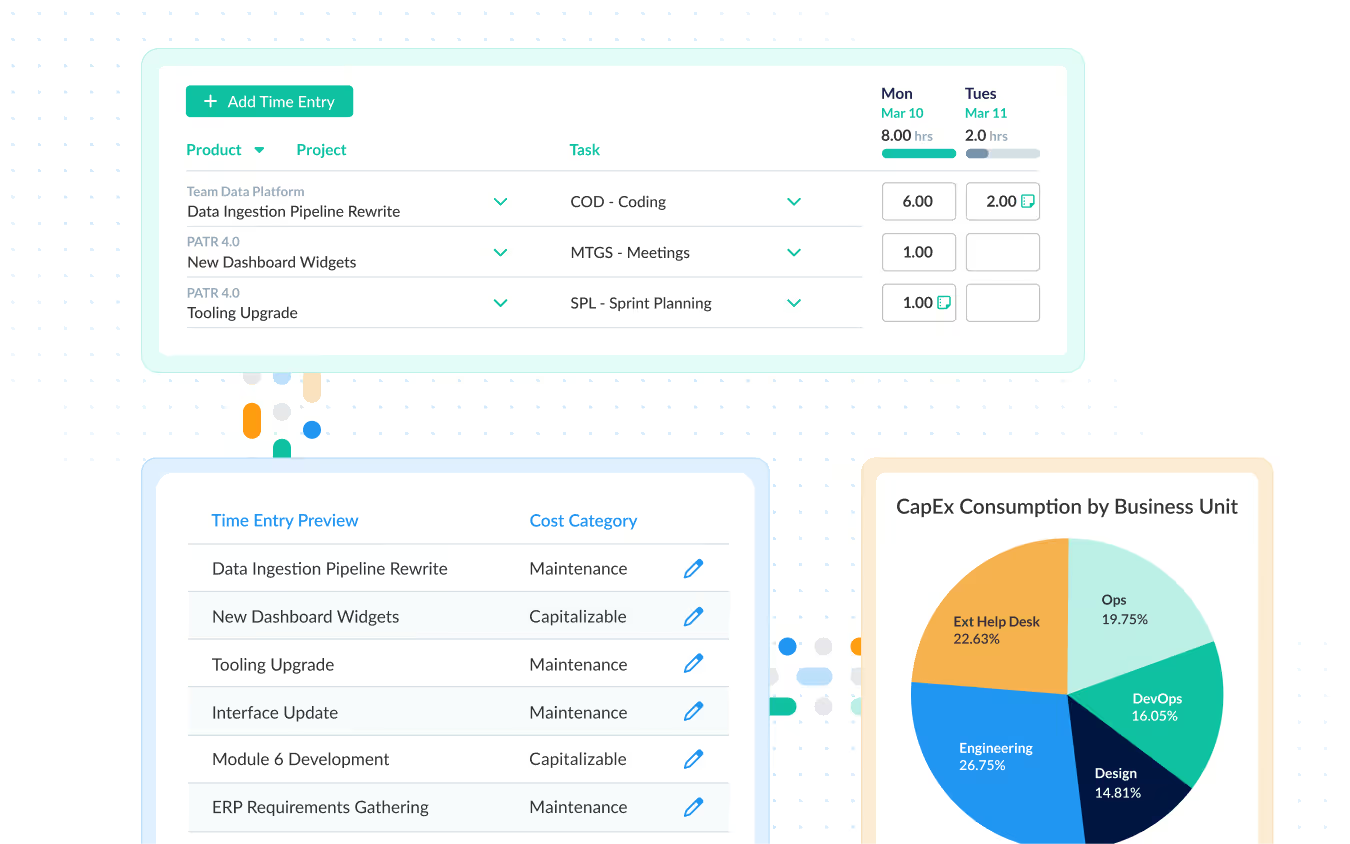
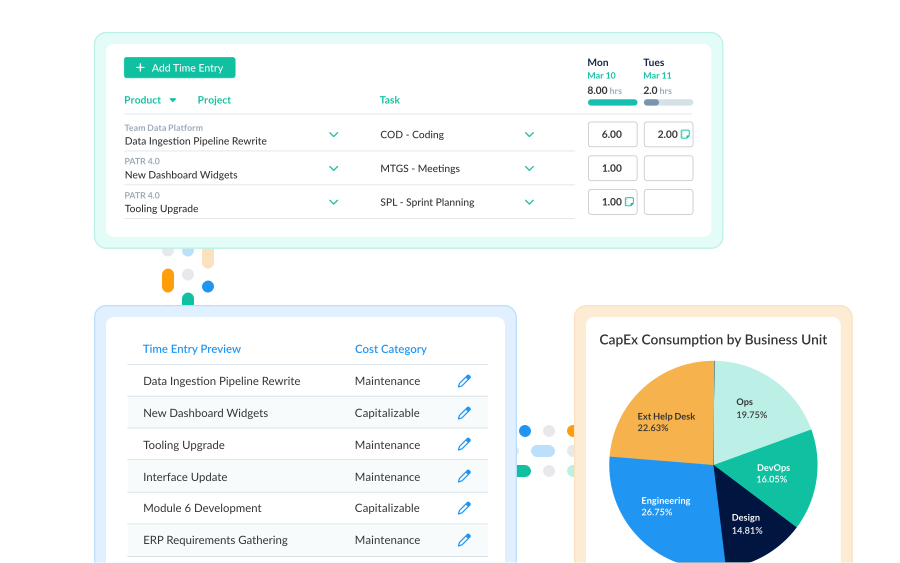
ClickTime gives finance and operations leaders verified, categorized labor cost data—allocated to the programs, cost centers, and projects that matter—so every number you report can be traced and defended.

Get a demo

Real-time cost estimates

In-flight labor spend visible before it hits the books—not as a month-end surprise.

Finance-ready exports

Reports formatted for your ERP, HRIS, and payroll systems. No manual reformatting required.

Complete audit trail

Every entry carries approval history and a change log. Defensible records, always.

Trace every dollar back to a source

Most organizations can't answer a simple question: how much did that initiative actually cost? Labor gets estimated, reconciled retroactively, or never captured at all. ClickTime ties hours to cost centers, programs, and projects at the moment of entry—so your allocation data is accurate by the time it reaches accounting, not cleaned up after the fact.

  • Allocate hours to cost centers, profit centers, programs, or clients
  • Approval workflows and change history on every entry
  • Data reaches your financial systems already organized, not as raw logs
  • Set cost budgets on internal projects and track burn in real time—not just billable work
See what work costs before it hits the books

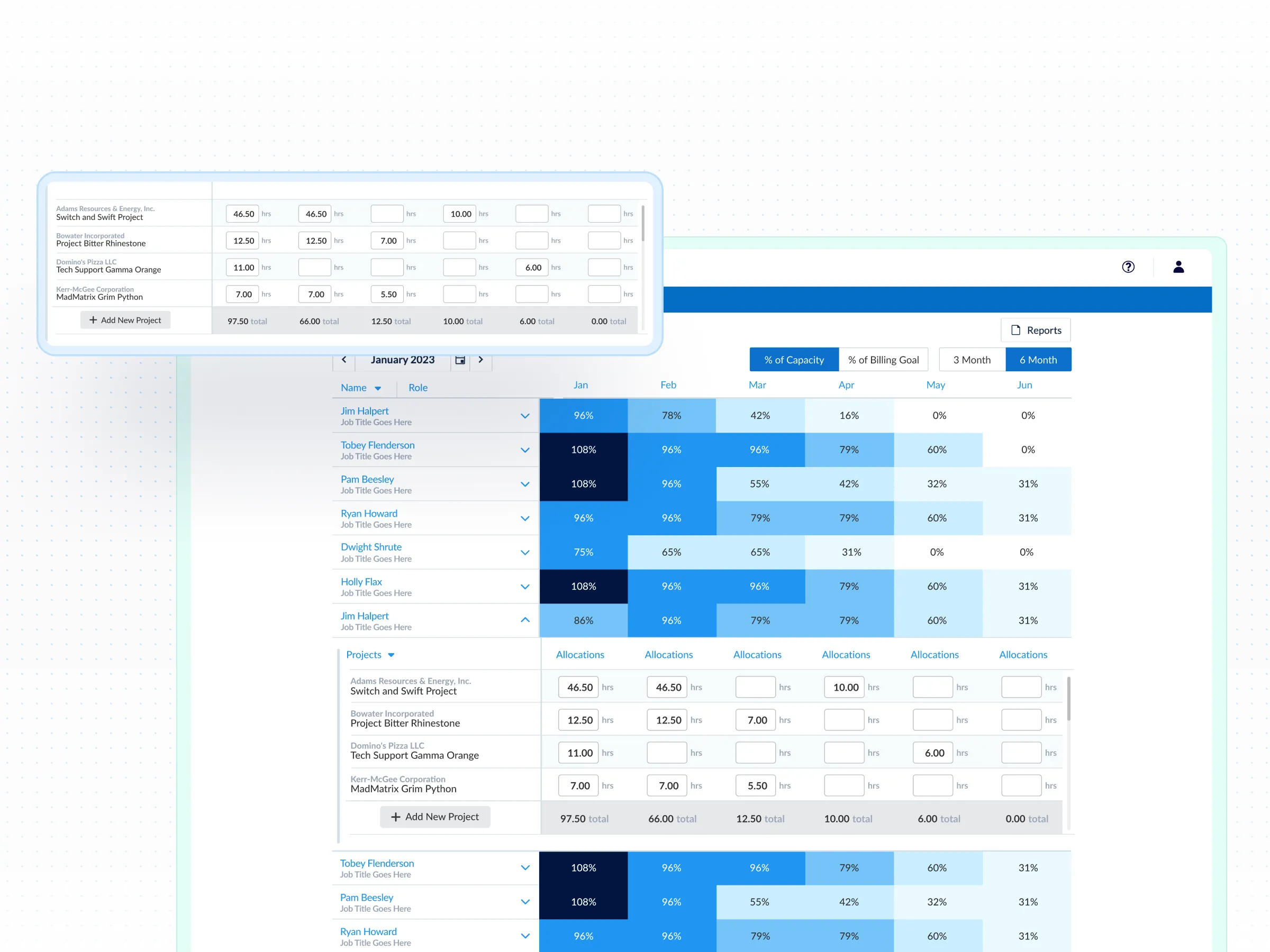
By the time most teams see a labor cost, the spend is already done. ClickTime estimates the hourly cost rate for each employee and applies it to logged hours in real time—so finance and operations leaders can see in-flight labor expenditures and make resourcing decisions before overruns become permanent.

  • Hourly cost estimates updated as hours are logged
  • Real-time visibility into cost by project, team, or initiative
  • Catch allocation issues before month-end close, not during it

Get reports your ERP actually expects

Verified hours shouldn't require a spreadsheet cleanup sprint before they're usable. Report Studio generates allocation reports in the format your HRIS, payroll, and ERP systems require—PDF, XLS, or CSV—and maps directly to your GL entries so finance gets clean, categorized data without manual reformatting.

  • Export in the format your financial systems require
  • Percentage-based or dollar-based allocation, by role or by period
  • Use alongside your payroll platform to calculate true initiative cost
Integrations

Purpose-built for labor cost data, not pieced together

View all integrations

Every entry includes approval workflows, complete change history, and instant reporting. Whether it's R&D tax credits, client billing disputes, or grant compliance, you have defensible records without scrambling through spreadsheets or Jira logs.

Smart Match
Smart Match
Smart Match
Smart Match
Smart Match
Integrations

Built to work inside your existing financial stack

View all integrations

ClickTime connects to your invoicing and financial systems so verified, approved hours flow directly into your billing workflow — no manual re-entry, no reconciliation before the invoice goes out. Every entry includes a complete approval history and change log, so when a client questions a charge, you have the record to back it up.

Smart Match
Smart Match
Smart Match
Smart Match
Smart Match

Solution FAQs

ClickTime integrate with QuickBooks Online, Sage Intacct, Netsuite, and ERPs?

Yes. ClickTime has turnkey integrations for a variety of applications, as well as a robust API that can be used to connect your timesheet data with your accounting software. You can automatically transfer your people, projects, and tasks, the hours worked, and each entry’s billable or non-billable status.

How does ClickTime allocate costs to labor hours?

ClickTime supports methods of allocating employee costs for hourly and salaried workers. Allocations can be programmed at hourly rates, or can alternatively be set for a whole timesheet and distributed across time worked in that given period. That way, salaried employees can have a set “cost per timesheet,” rather than a fixed hourly rate. Then, ClickTime evenly distributes the cost per timesheet across all hours worked in the given period.

What is a cost center?

A cost center is a role or department that costs the business money but does not generate revenue on its own.

What is cost allocation?

The process for assigning costs to the different business departments, products, or services that benefit from those costs.

What are the benefits of cost allocation?

Cost allocation gives you a detailed overview of how your business expenses are used, assists in staff evaluation, and helps leaders assess the performance of different departments.

What's the difference between a cost center and a profit center in ClickTime?

A cost center is a department or function that incurs costs without directly generating revenue. A profit center is tied to revenue or margin outcomes. ClickTime supports allocation reporting to both, mapped to whatever structure matches your chart of accounts.

Can ClickTime support program-based allocation for nonprofits or government contractors?

Yes. ClickTime is used by nonprofits and government contractors to allocate labor costs across programs and funding sources. Built-in approval workflows and audit trails support grant compliance and DCAA requirements.

Stop losing visibility into your largest expense

Book a demo
Ask a question

Finally know where your labor dollars are going.

Book a demo
Ask a question