Stop defending approximate CapEx numbers.

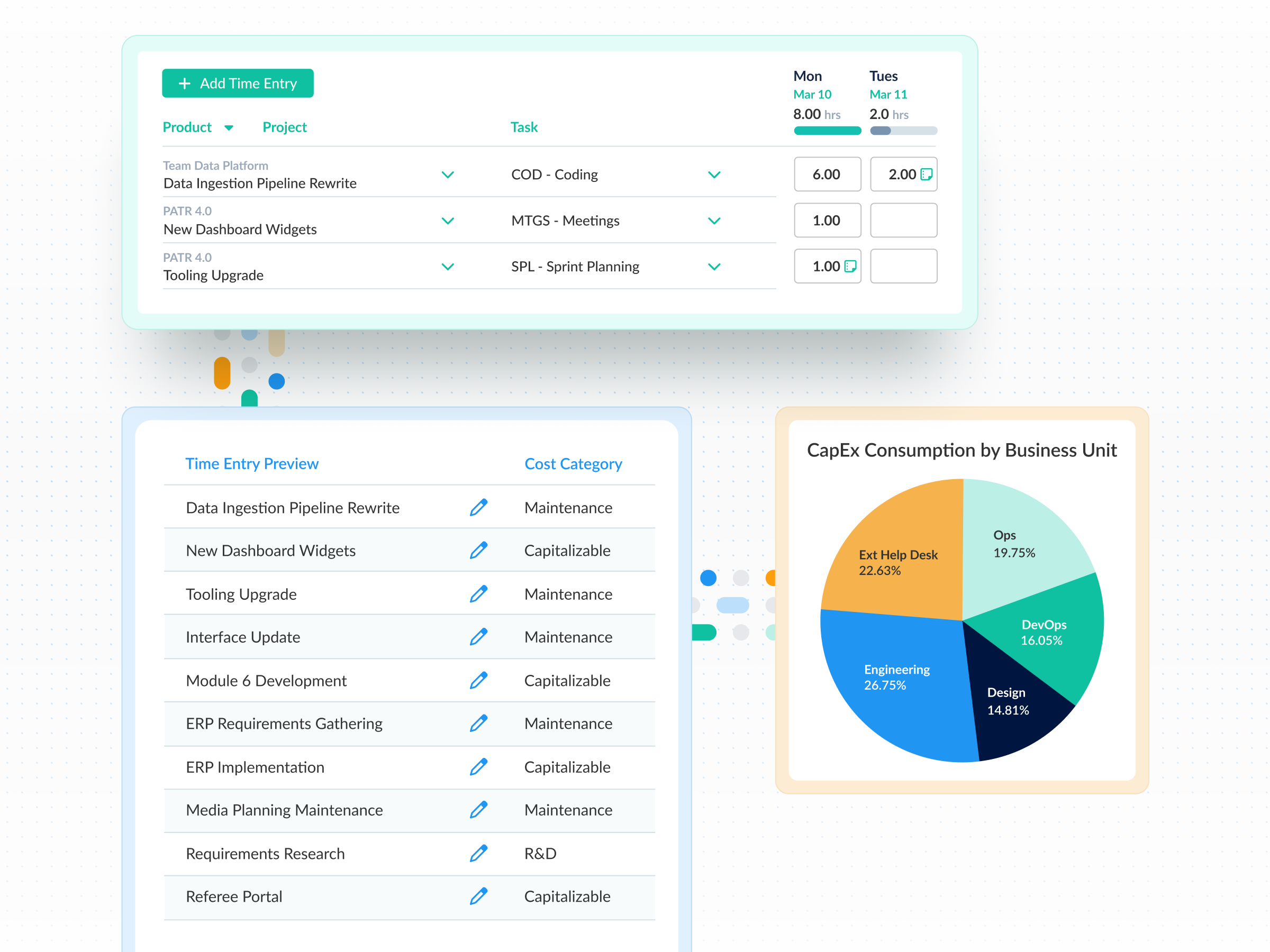
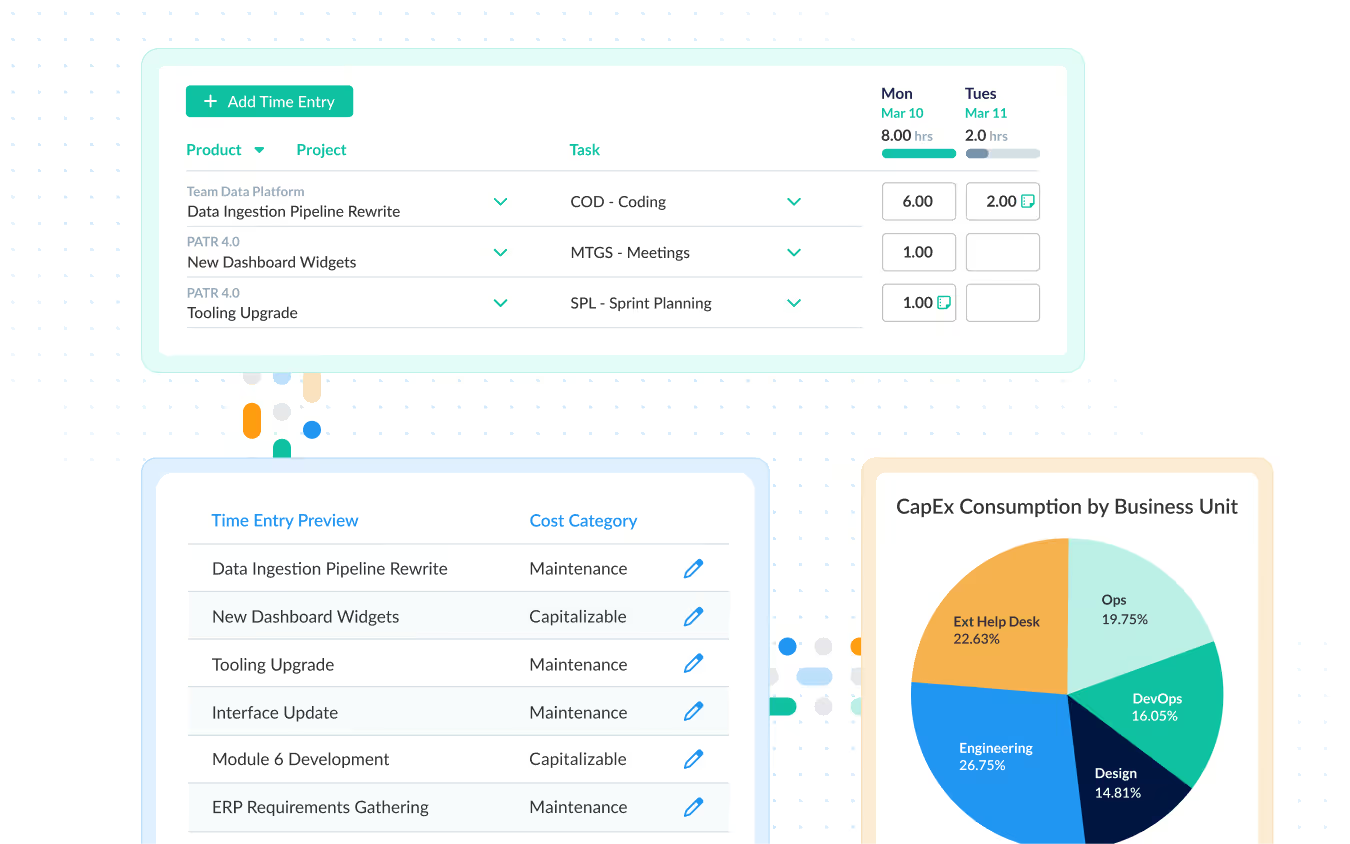
ClickTime captures CapEx and OpEx classifications at the moment work is logged—so finance receives labor data that is already documented and defensible.

Get a demo

Audit-ready labor, without reconstruction

Every time entry includes its classification, approvals, and change history. The documentation exists before auditors ask for it, not reconstructed after.

Classifications applied when the work happens

Finance defines the CapEx/OpEx rules. Teams apply them when time is logged, using configured fields that enforce classification at entry. No month-end reclassification. No guesswork.

CapEx and OpEx stay separated from entry to report

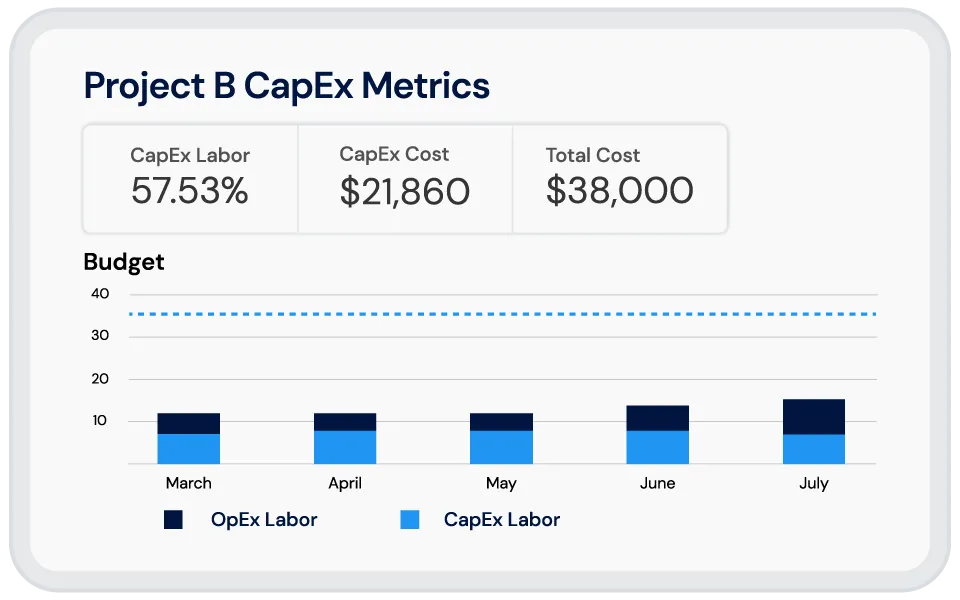
When labor is classified at entry, reporting already reflects the correct cost category. Finance receives CapEx numbers based on actual work performed—not estimates corrected at close.

"Our accountants take the time data from ClickTime and put people’s salaries to it, so they know exactly how much money we’re spending for each project."
Mike Coles
VP of Global Engineering, Nidec Drive Systems

See where CapEx labor is going—and where it needs to go next

ClickTime’s Resource Management Grid shows how labor is allocated across capital and operational work in real time. The Capacity Planning Heatmap reveals future resource needs so next year’s CapEx budget is based on actual labor patterns—not assumptions.

  • Resource Management Grid — labor visibility across all projects in real time
  • Capacity Planning Heatmap — forecast CapEx and OpEx labor needs by period
  • Budget goals set per project — teams can see targets as they log time

When the auditor asks, the answer already exists

ClickTime records every time entry, classification, and change with timestamps. If an allocation is questioned, the documentation is already there.

  • Custom fields enforce CapEx/OpEx classification at entry
  • Full change history on every record—who changed what and when
  • Approval workflows ensure entries are reviewed before they reach finance

Every eligible CapEx dollar documented at the source

When labor isn't classified at the source, eligible CapEx gets estimated away—and underreported.capitalizable work gets absorbed into operating expenses. ClickTime separates CapEx and OpEx at entry so eligible costs are preserved and documented.

  • Custom fields on time entries separate CapEx from OpEx at the source
  • Filtered reporting surfaces eligible labor by project, period, or classification
  • Records are ready for tax documentation without additional work

Disclaimers

Disclaimer: Always check with your accountant or tax professional to ensure you are aware of the specific rules for when project costs can or cannot be capitalized.

Integrations

Purpose-built for labor cost data, not pieced together

View all integrations

Every entry includes approval workflows, complete change history, and instant reporting. Whether it's R&D tax credits, client billing disputes, or grant compliance, you have defensible records without scrambling through spreadsheets or Jira logs.

Smart Connect
Smart Connect
Smart Connect
Smart Connect
Smart Connect
Integrations

Leverage powerful integrations

View all integrations

ClickTime connects to your invoicing and financial systems so verified, approved hours flow directly into your billing workflow — no manual re-entry, no reconciliation before the invoice goes out. Every entry includes a complete approval history and change log, so when a client questions a charge, you have the record to back it up.

Smart Connect
Smart Connect
Smart Connect
Smart Connect
Free eBook Download

How CapEx and OpEx allocations transform your metrics

Learn how gathering the right data with CapEx and OpEx cost tracking can help you make smarter, more informed decisions about your business.

View resource
Explore all resources

Stop losing visibility into your largest expense

Book a demo
Ask a question

Your next audit starts with what you're logging today

ClickTime builds your CapEx audit trail entry by entry—so when the question comes, the documentation already exists. Book a demo to see how classification, approval, and reporting work together.

Book a demo
Ask a question