Automated time tracking from the tools your teams already use

ClickTime captures time from calendars and Jira, turning activity into structured, finance-ready entries without manual logging.

Get a demo
Trusted by thousands of companies of all sizes

Automate how time gets captured—without changing how teams work

When time tracking depends on memory, the data falls apart. Employees forget entries, managers chase updates, and finance discovers gaps only after the numbers stop adding up. According to ClickTime's 2025 research, 40% of finance leaders don't trust their own labor cost data—and manual entry is a major reason why.

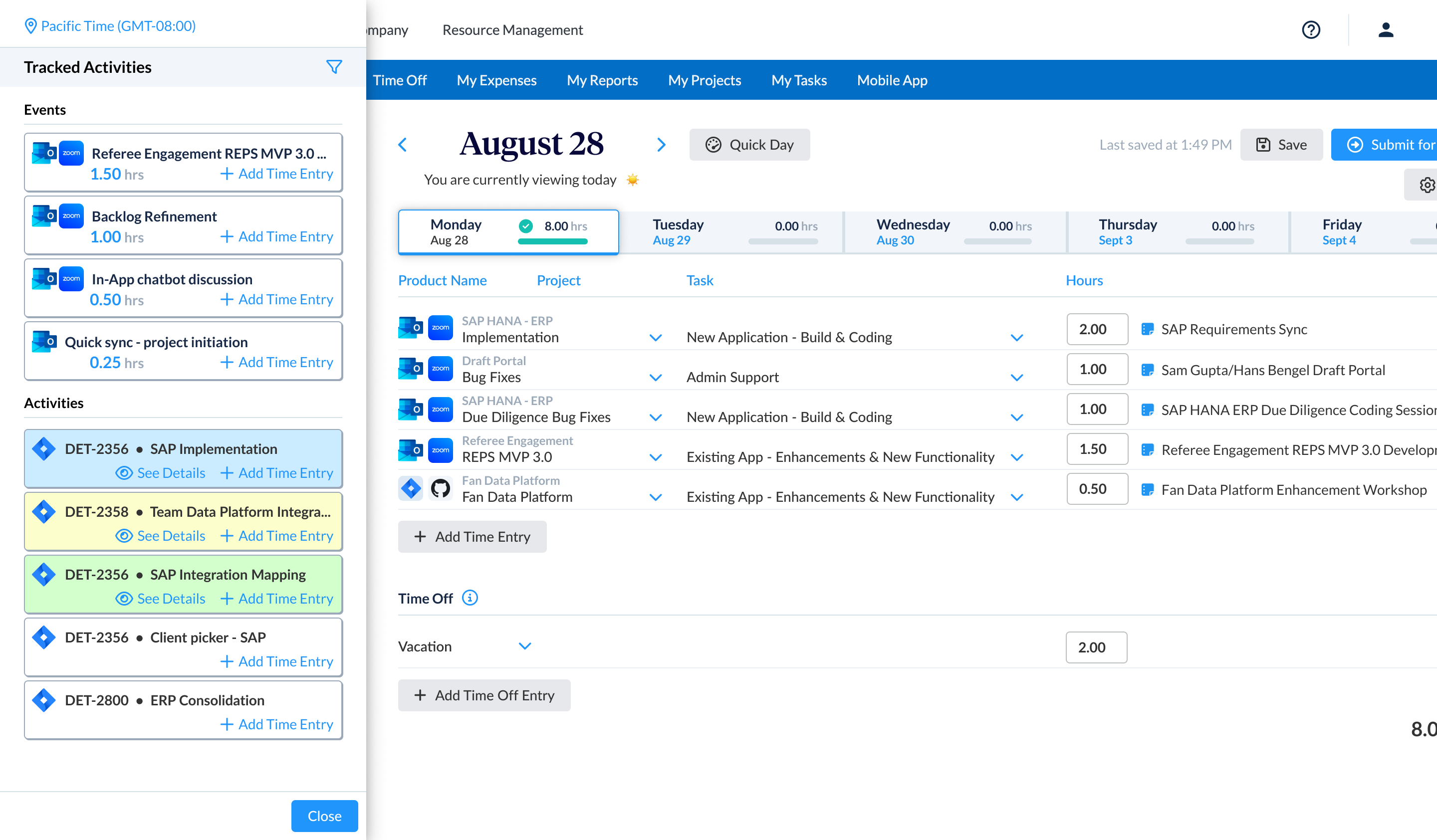
ClickTime connects to the tools your teams already use. Calendar events and Jira work logs flow into ClickTime as suggested entries employees can confirm in seconds—creating an accurate, consistent record of where time and money go.

Data accuracy

Capture time where work actually happens—ClickTime reduces manual entry and keeps every hour verified through built-in review and approval workflows

Finance alignment

Hours recorded through ClickTime map to the right projects, cost centers, and GL accounts—keeping finance aligned without extra reconciliation

Audit-ready records

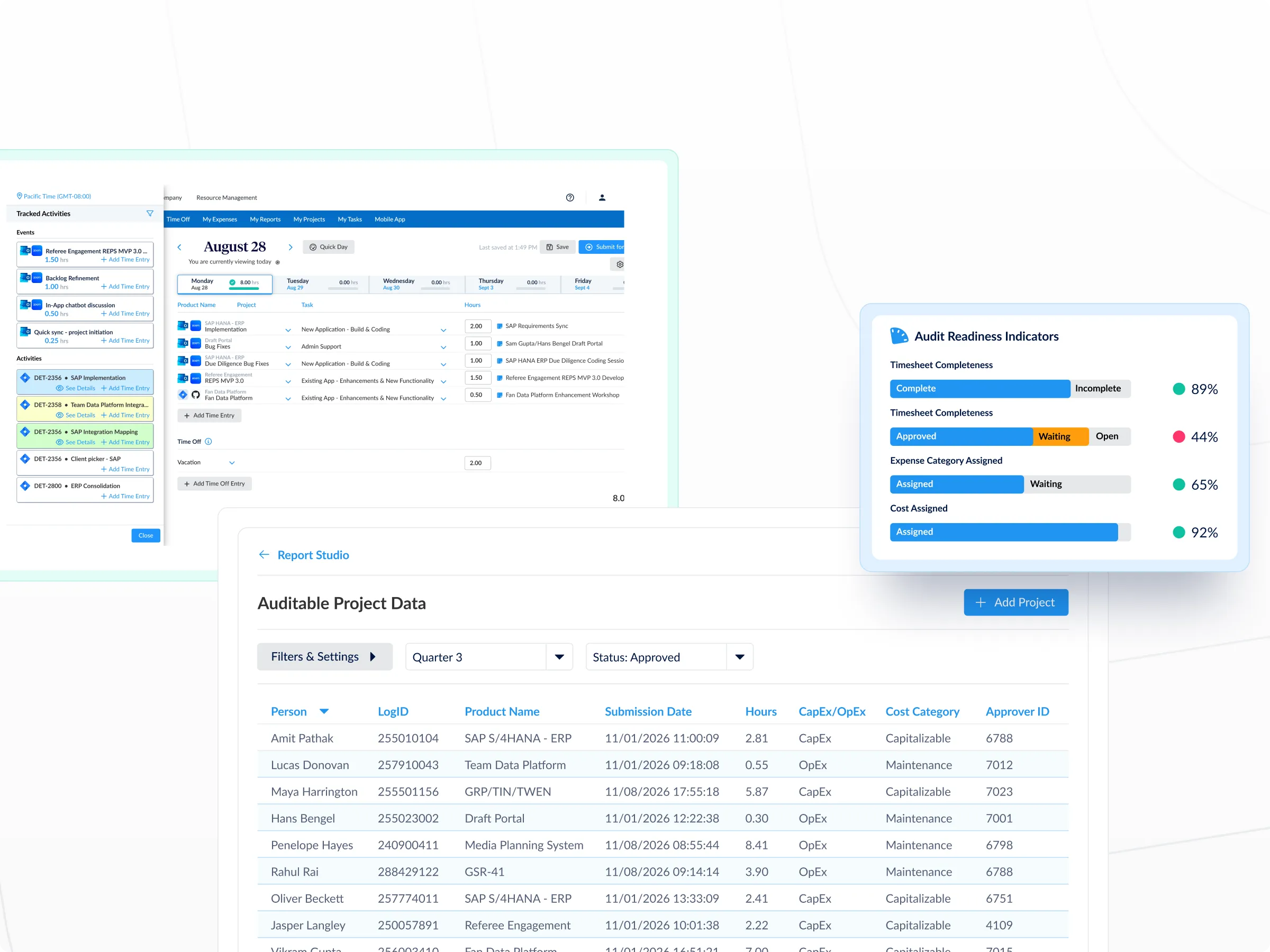
Every time entry carries a full approval trail, so your labor cost data is defensible when auditors come asking

Turn calendar events into structured, finance-ready time entries

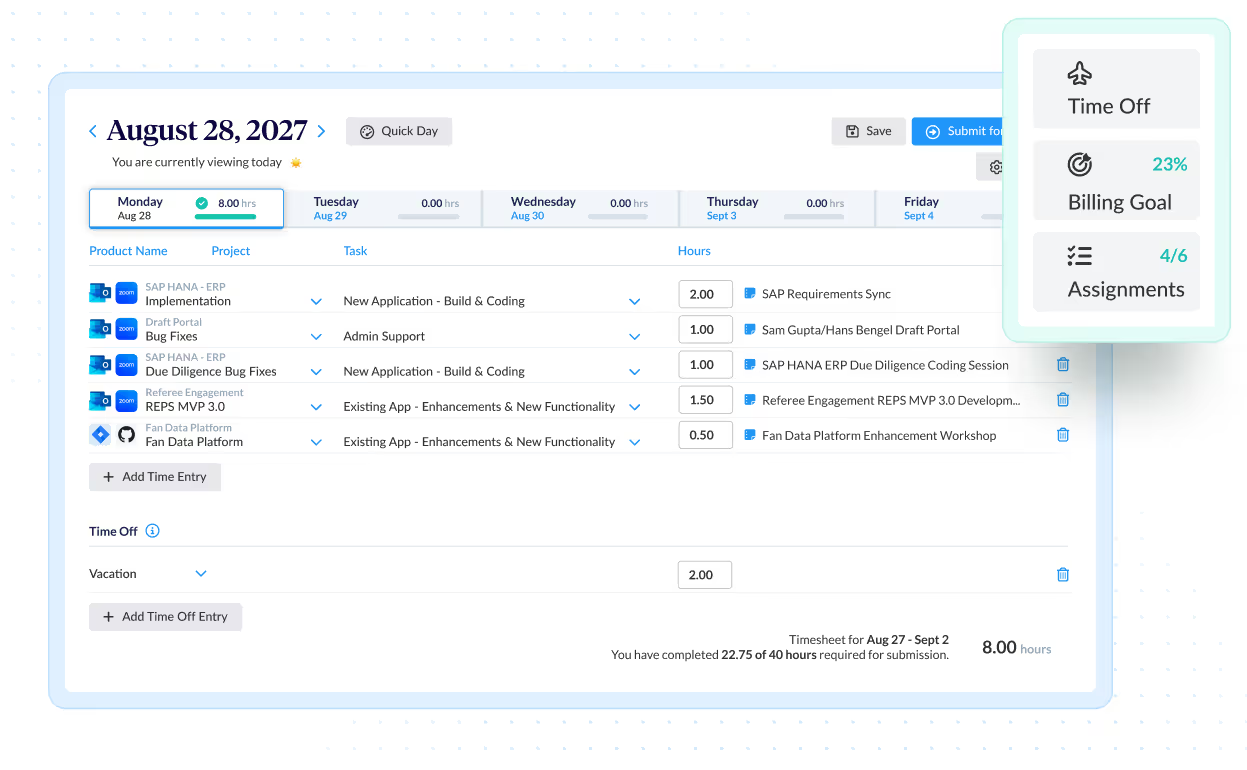
  • Convert meetings, focus blocks, and working sessions into time entries tied to the right projects, tasks, and cost centers
  • Employees confirm suggested entries instead of recreating them from memory—reducing friction and improving accuracy
  • Financial mappings like GL codes and billing categories apply at the moment of capture, not after the fact

Connect development work to labor costs with Jira integration

Engineering hours are often the hardest to capture accurately—and the most expensive to misallocate. ClickTime imports Jira work logs and groups related activity into projects or epics, with cost centers and GL codes applied in the background. The result: finance-ready reporting on development labor without asking engineers to log time twice.

Build trust in your largest line item

  • Track utilization rates with verified data flowing directly from the tools where work happens
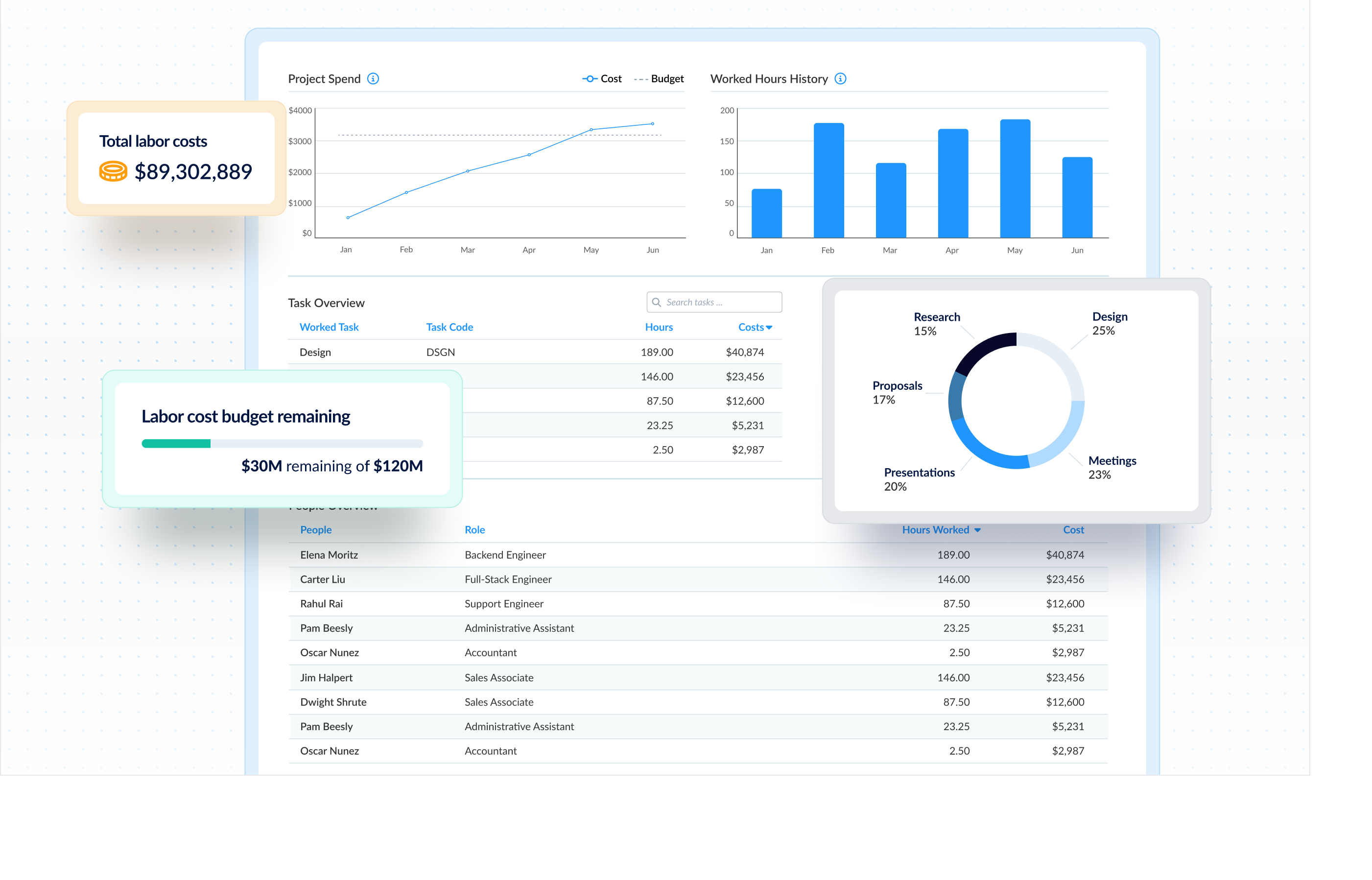
  • Catch cost overruns early with real-time visibility into labor spend across projects and departments
  • Give finance and operations one shared record of where hours go—so budgeting, billing, and compliance all start from the same source
Integrations

Purpose-built for labor cost data, not pieced together

View all integrations

Every entry includes approval workflows, complete change history, and instant reporting. Whether it's R&D tax credits, client billing disputes, or grant compliance, you have defensible records without scrambling through spreadsheets or Jira logs.

Smart Match
Smart Match
Smart Match
Smart Match
Smart Match

Feature FAQs

What is an automated time tracker?

An automated time tracker captures work hours from the tools employees already use—like calendars and project management platforms—instead of requiring manual entry from memory. ClickTime takes this further by structuring each captured entry with financial mappings like project codes, cost centers, and GL accounts. The result is finance-ready labor data that supports billing, budgeting, and compliance without adding administrative burden.

How does automated time tracking work?

ClickTime integrates with tools like Google Calendar and Jira to pull in work activity as suggested time entries. Employees review and confirm these entries in seconds rather than building them from scratch. Each entry is tied to the correct project, cost center, and billing category at the moment of capture—so finance gets structured, accurate data without relying on employee memory.

What are the advantages of automated time tracking over manual entry?

Manual time tracking depends on employees remembering what they worked on and logging it accurately—a process that introduces errors and gaps at scale. ClickTime's 2025 research found that 40% of finance leaders don't trust their own labor cost data, often because of unreliable manual processes. Automated time capture reduces that risk by pulling verified activity from existing tools and applying financial structure before the data ever reaches a report.

How can automated time tracking improve labor cost accuracy?

When time entries flow from actual work activity rather than end-of-week memory, the data is inherently more accurate. ClickTime adds financial context—project codes, cost centers, GL mappings—at the point of capture, then routes entries through approval workflows for verification. This creates an audit-ready record of labor costs that finance can trust for budgeting, billing, and compliance reporting.

Stop losing visibility into your largest expense

Book a demo
Ask a question