Timesheet Approvals

Quickly review, approve, or reject employee timesheets.

Get a demo
Trusted by thousands of companies of all sizes

Easy timesheet approvals

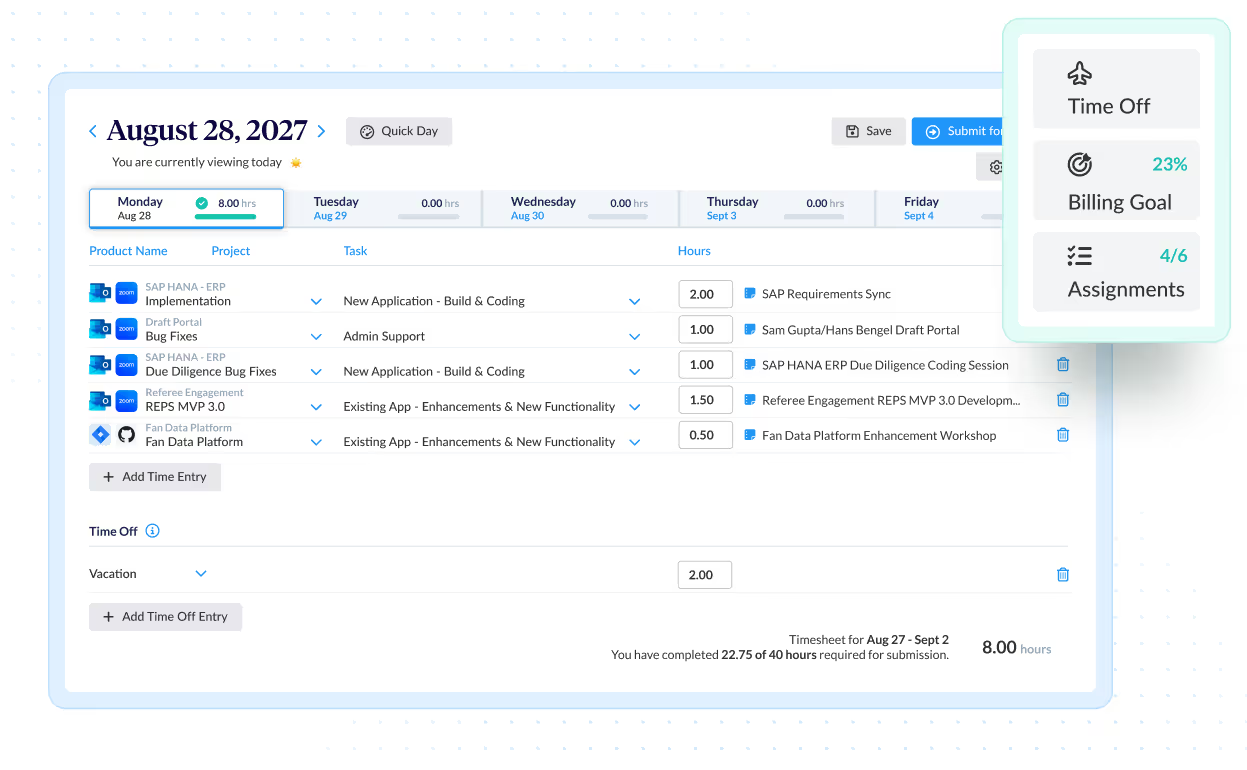
If you’re using timesheets to generate paychecks, invoices or reports, odds are you’ll need some kind of approval system. Employees and managers of businesses and nonprofits love the simplicity of ClickTime’s timesheet submission and approval process.

Approve timesheets by project

Sometimes you need an additional level of approval to ensure that project time and budgets are accurate. ClickTime allows project managers to approve time on specified projects.

Easy review

Each submitted timesheet is concisely organized and follows compliance guidelines, making it easier than ever for managers to review employee time and gauge project progress.

Quickly correct mistakes

The system offers the ability to override timesheets swiftly, enabling managers to quickly correct any mistakes that may arise.

Automatic Timesheet Reminders

With ClickTime’s Automated Reminders, administrators can send automatic email notifications to people who haven’t completed or submitted their timesheets on time. Administrators can even set up automatic reminders to remind employees in advance of the timesheet due date. You’ll never have to waste another minute chasing down employees for their timesheets.

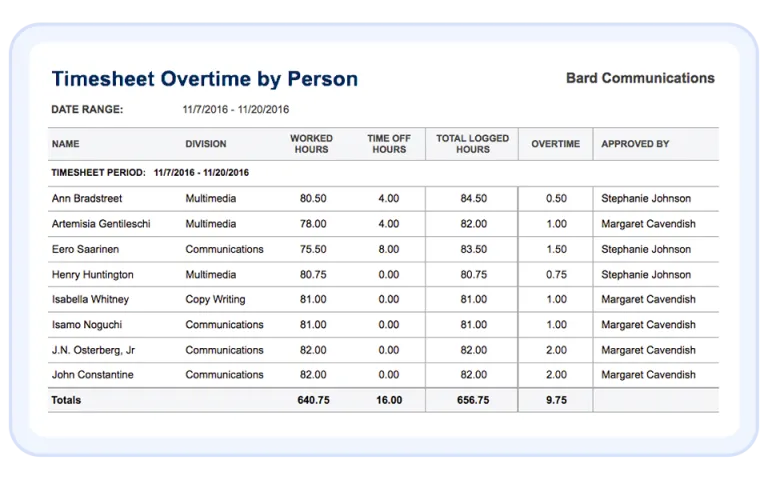
Approving Employee Overtime

Approving employee timesheets often involves more than simply checking to ensure the right number of hours were worked on the right projects.

  • What if your employee or employees worked overtime?
  • Were they scheduled to work this time?
  • If so, who approved their hours?

Our overtime reports make it easy to manage and approve your team’s hours, overtime or otherwise.

Integrations

Purpose-built for labor cost data, not pieced together

View all integrations

Every entry includes approval workflows, complete change history, and instant reporting. Whether it's R&D tax credits, client billing disputes, or grant compliance, you have defensible records without scrambling through spreadsheets or Jira logs.

Smart Connect
Smart Connect
Smart Connect
Smart Connect
Smart Connect
Smart Connect
Smart Connect
Smart Connect

Feature FAQs

What is a timesheet approval workflow?

Timesheets move through several controlled stages to ensure that employee timesheets are properly reviewed by managers and time entries are accurate. These stages help facilitate a smooth timesheet approval workflow:

Open – timesheets at this stage are not yet submitted. Employees are able to freely log and edit their time against the projects and tasks they’re working on.

Waiting for approval – once a timesheet has been submitted, a notification is automatically sent to the employee’s timesheet approver. During this stage, the approver reviews the time entries and either approves or rejects the timesheet.

Rejected – if the timesheet approver finds errors or omissions, the timesheet is flagged as being rejected, and is sent back to the employee for revision.

Approved – at this stage, the approver certifies the timesheet, ensuring that the time entries have been reviewed and are accurate.


How long does a timesheet approval workflow take?

Typically, it takes 1 to 2 days for a timesheet to move through the timesheet approval workflow.

Why should employees have their timesheets approved?

By having their timesheets approved, employees can be sure that there is agreement between the employee and the manager for the work completed. This is especially important when employee payroll depends on the accuracy of logged hours, overtime, and time off.

What happens if a timesheet is not approved?

If a timesheet is not approved, it is rejected and sent back to the employee for revision. An easy to use timesheet approval system ensures that payroll is on time and that clients are being charged the correct amount.

What is your method for dealing with incomplete or late timesheet submissions?

When an employee’s timesheet does not meet its designated hour requirements, ClickTime can recognize that timesheet as “incomplete.” ClickTime’s approval system can then prevent the submission of timesheets that do not meet required hour thresholds.

If late timesheet submissions are a problem, administrators can set up automatic reminders to remind employees in advance of the timesheet due date.

Who should approve timesheets?

Usually an employee’s manager, supervisor, or team leader approves timesheets. With ClickTime, an additional layer of approvals are available, providing project managers the ability to review time entries logged against their projects.

How do I reject a timesheet?

You can both reject a timesheet that is awaiting approval and reject a timesheet that has already been approved. The Timesheet Review page will display a list of employee timesheets that you can reject, should you have a reason to do so. If you accidentally approved a timesheet and need to now reject it, you can find a list of approved timesheets by using the date selection filter on the left navigation bar of the Timesheet Review page.

Is there an email confirmation for approved timesheets?

Once a timesheet is approved, that employee will receive a confirmation via email that their time entry has been successfully processed.

Start Tracking Time Today

Book a demo
Ask a question

Stop losing visibility into your largest expense

Book a demo
Ask a question