Time tracking for project managers

ClickTime connects every logged hour to real labor cost data—so you can deliver on time, protect margins, and back up every number.

Get a demo

Know your burn before it burns you

See remaining budget in real time as hours are logged—no end-of-month surprises.

Staff projects with confidence

Balance team workloads against upcoming capacity before commitments are made.

Back up every number

Every logged hour has an approval trail. Budget reviews, audits, and client disputes don't require digging through spreadsheets.

Life with ClickTime is much more organized and planned. There's fewer surprises. There's more direct conversations being had. And we are planning for success rather than firefighting.
Director of Global Project Management

The data gap that's costing you

Most project managers know their deliverables. They don't know what those deliverables actually cost to produce.

  • Spreadsheets track budget lines, but go stale the moment something changes
  • PM tools track task completion, not labor spend
  • Jira shows ticket status, not what those tickets cost your organization

The result is projects that run over budget before anyone sees it coming—and conversations with clients, leadership, or auditors that no one is prepared for.

See budget health before anyone has to ask

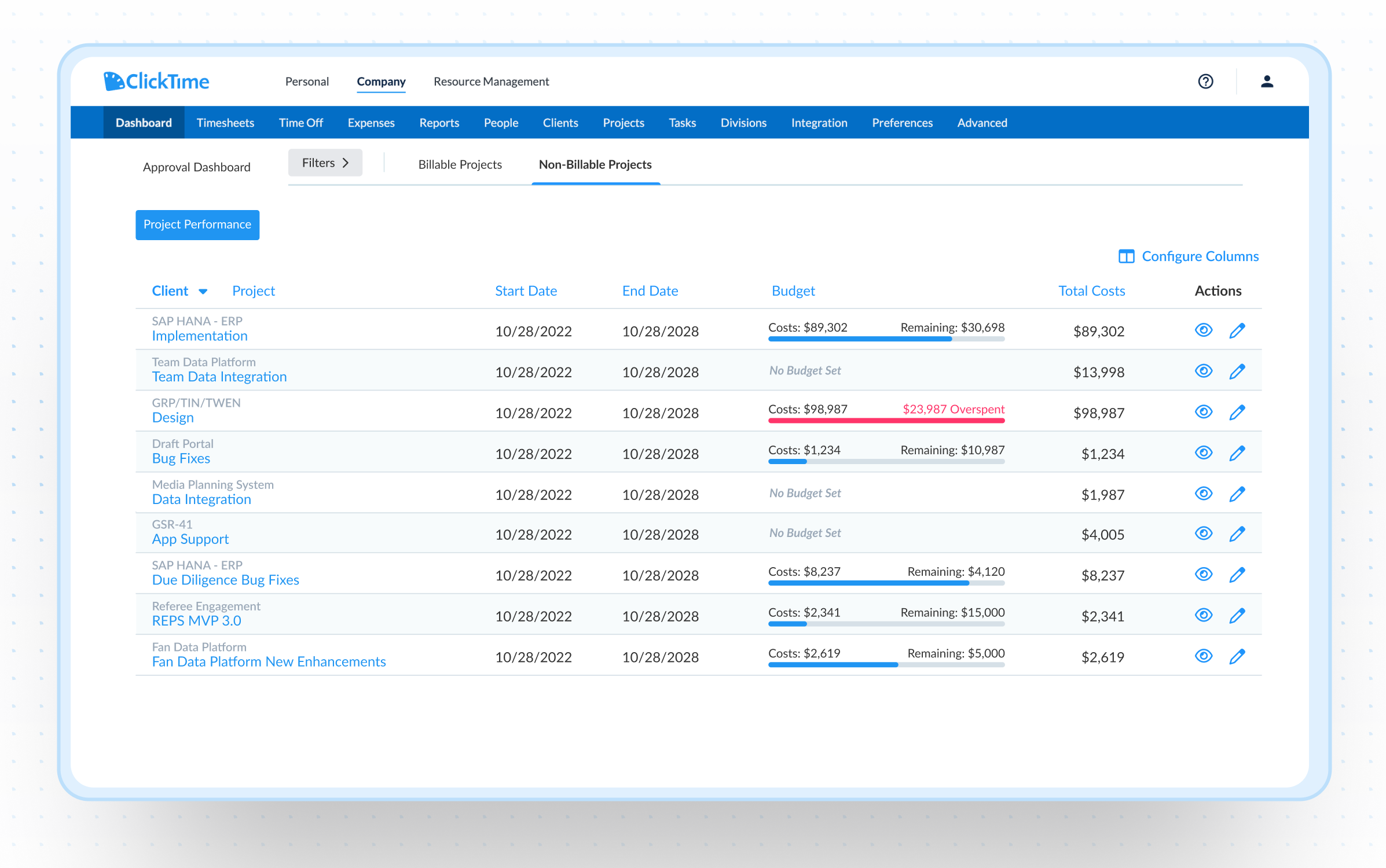
ClickTime's Project Performance Dashboard gives managers a live view of labor costs and budget health across every project—billable and internal alike. When a project starts running hot, you see it in time to course-correct, not in time to explain it.

  • Project Performance Dashboard — See budget health across billable and internal projects in one view, updated in real time
  • Project Health View — Drill into any project to see exactly where hours and costs are going
  • Labor cost budgets — Set budgets on internal and non-billable projects alongside your client work
  • Budget alerts — Get notified before overruns happen, not after
  • Cost rate configuration — Apply loaded labor rates per employee or role for true cost visibility
  • Know who's available before you make promises

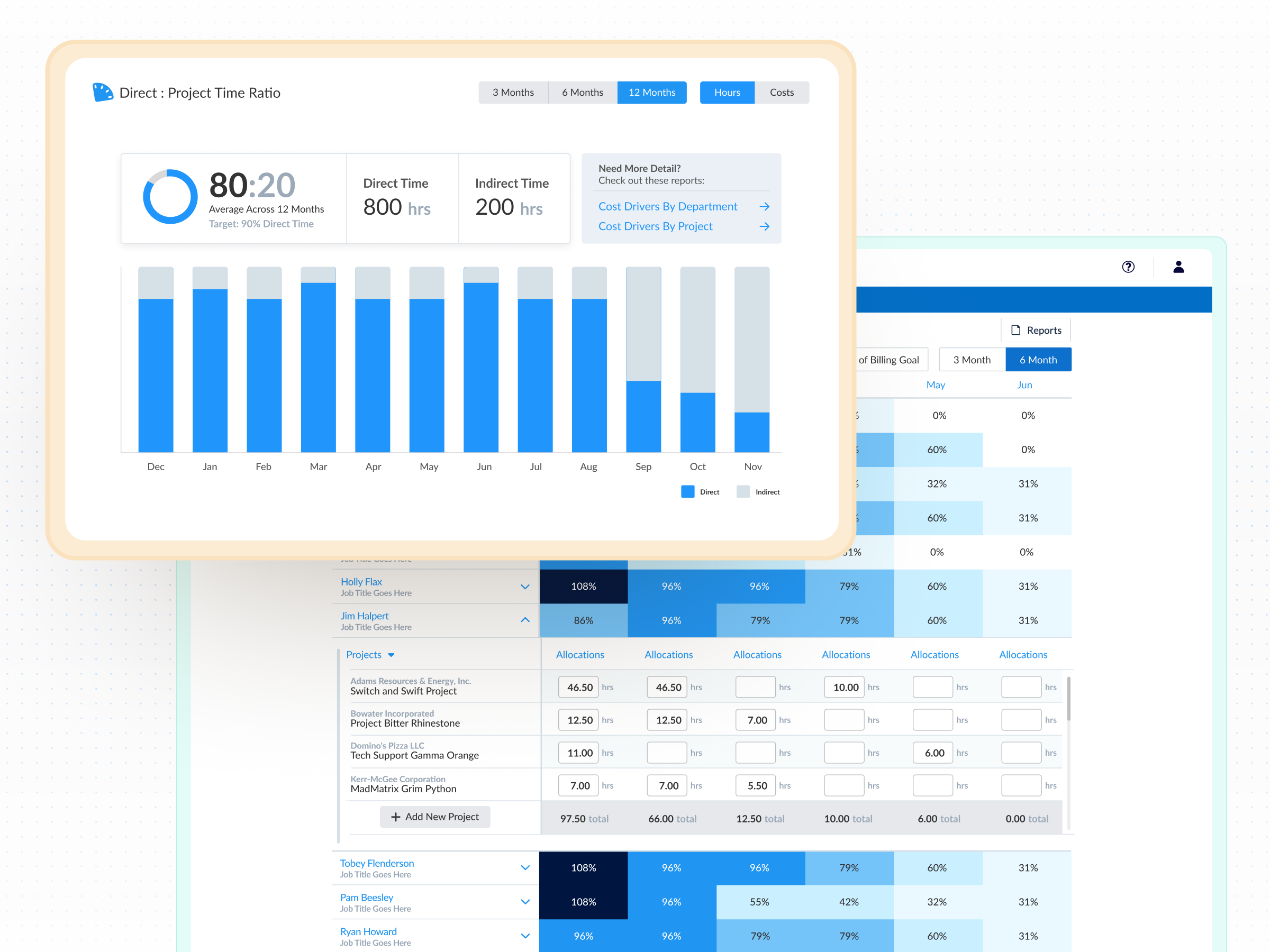
    ClickTime shows you who's scheduled, who's approaching their limit, and which projects have room to absorb additional work—before the work begins. Planned time off is factored in automatically.

  • Capacity planning — See utilization across your team, weeks or months out
  • Time off visibility — Factor in leave when planning resources and timelines
  • Real-time allocation — Adjust assignments when priorities shift, with full budget impact visible
  • Integrations

    Purpose-built for labor cost data, not pieced together

    View all integrations

    Every entry includes approval workflows, complete change history, and instant reporting. Whether it's R&D tax credits, client billing disputes, or grant compliance, you have defensible records without scrambling through spreadsheets or Jira logs.

    Smart Connect
    Smart Connect
    Smart Connect
    Smart Connect
    Smart Connect
    Integrations

    Connects to the tools your team already uses

    View all integrations

    ClickTime connects to your invoicing and financial systems so verified, approved hours flow directly into your billing workflow — no manual re-entry, no reconciliation before the invoice goes out. Every entry includes a complete approval history and change log, so when a client questions a charge, you have the record to back it up.

    Smart Connect
    Smart Connect
    Smart Connect
    Smart Connect
    Smart Connect
    Smart Connect
    Smart Connect

    Stop losing visibility into your largest expense

    Book a demo
    Ask a question

    Stop managing project costs in the dark

    See how project managers use ClickTime to protect margins, balance workloads, and deliver with confidence—whether they're billing clients or reporting to leadership.

    Book a demo
    Ask a question