Professional services firms: “We can plan billable client work, but the moment we try to plan internal projects the same way, the tool breaks down.”
Larger organizations: “We can’t give department heads access to capacity planning without exposing everyone’s salaries and contractor rates. So planning stays bottlenecked with one or two people.”
Anyone planning more than a month out: “We’re forced to enter exact hours for work that’s months away. We don’t know that precision yet—so we make it up, then redo it when things change.”
Finance leaders: "Salaried and contractor work hours—the platform rewrite, the R&D initiative, theP ops overhead—is a black hole until month-end when it's too late to do anything about it."
These aren't edge cases. They're the reasons a lot of teams have ClickTime and still plan in spreadsheets—or wait until month-end to understand what their labor actually costs.
This release closes four of those gaps. All features are available to Premier customers today.
What’s new
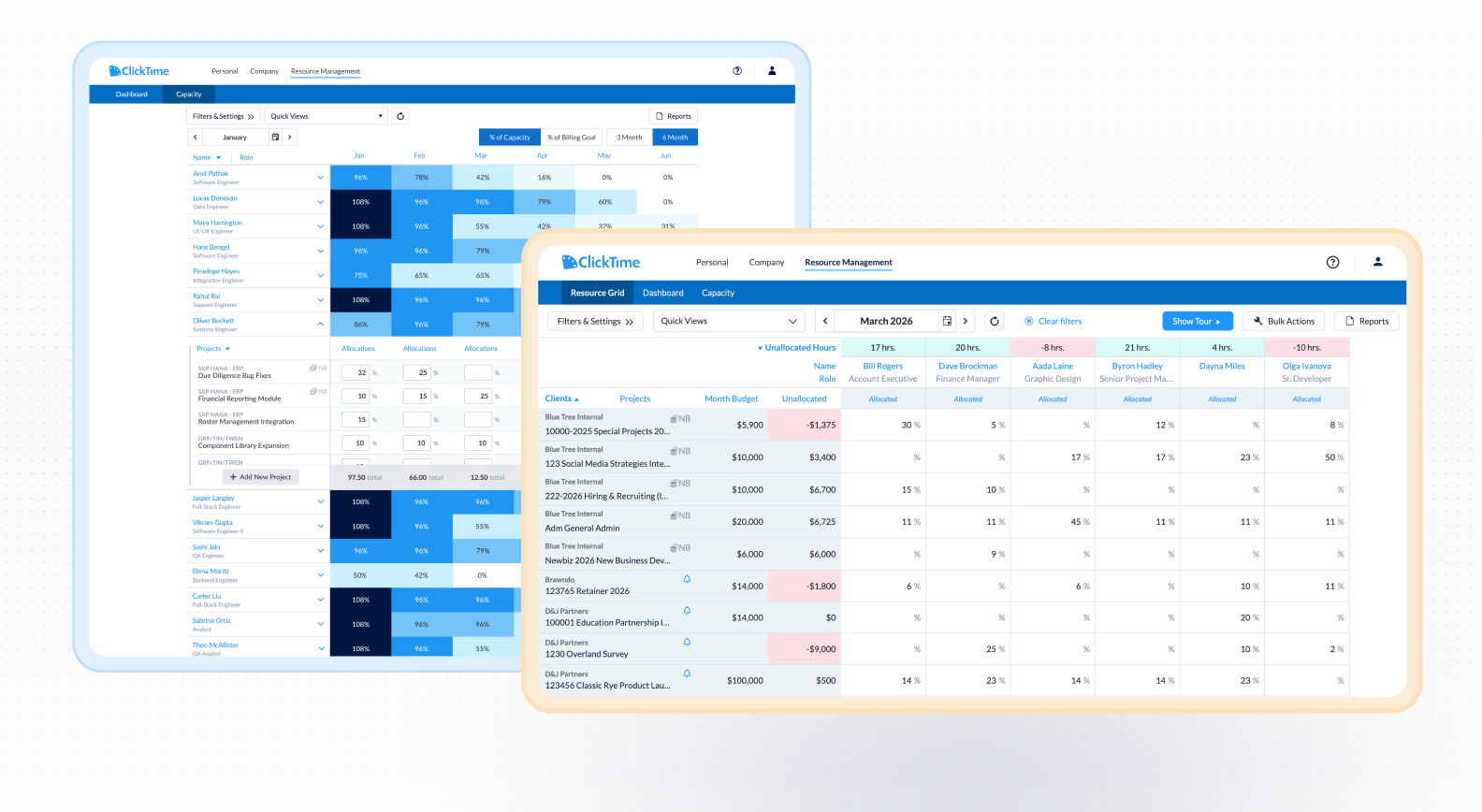
Planning in February for June doesn’t mean you know if someone will work 20 or 42 hours that week. Now you don’t have to pretend you do.
Set allocations as percentages of capacity—50% on Project X, 30% on Project Y—and ClickTime handles the hour conversion automatically. Plan months out without committing to precision that doesn’t exist yet, then refine as projects firm up.
What this means for you:
- Plan Q3 in Q1 without entering fake hours you’ll redo later
- Allocate salaried staff by availability, not fabricated schedules
- Refine allocations as projects confirm without starting from scratch
Learn how to allocation by percentage in ClickTime →
Operations Mode
.png)
Department heads and project managers should be able to check team availability themselves. But giving them access to resource planning has always meant giving them access to everyone’s salaries and contractor rates—so most organizations don’t do it. Planning stays with one or two people who become the bottleneck.
Operations Mode separates capacity planning from financial data entirely. Managers see who’s allocated where, how loaded they are, and when they’re available. No salary data. No contractor rates. No barrier to access.
You expand planning across your organization. You stop being the person everyone DMs to ask if someone is available next month.
What this means for you:
- Give department heads and project managers self-serve access to capacity
- Stop answering availability questions you shouldn’t have to answer
- Scale planning as your organization grows without adding headcount to manage it
Set up permissions for Operation Mode →
Labor Cost Budgets for internal projects
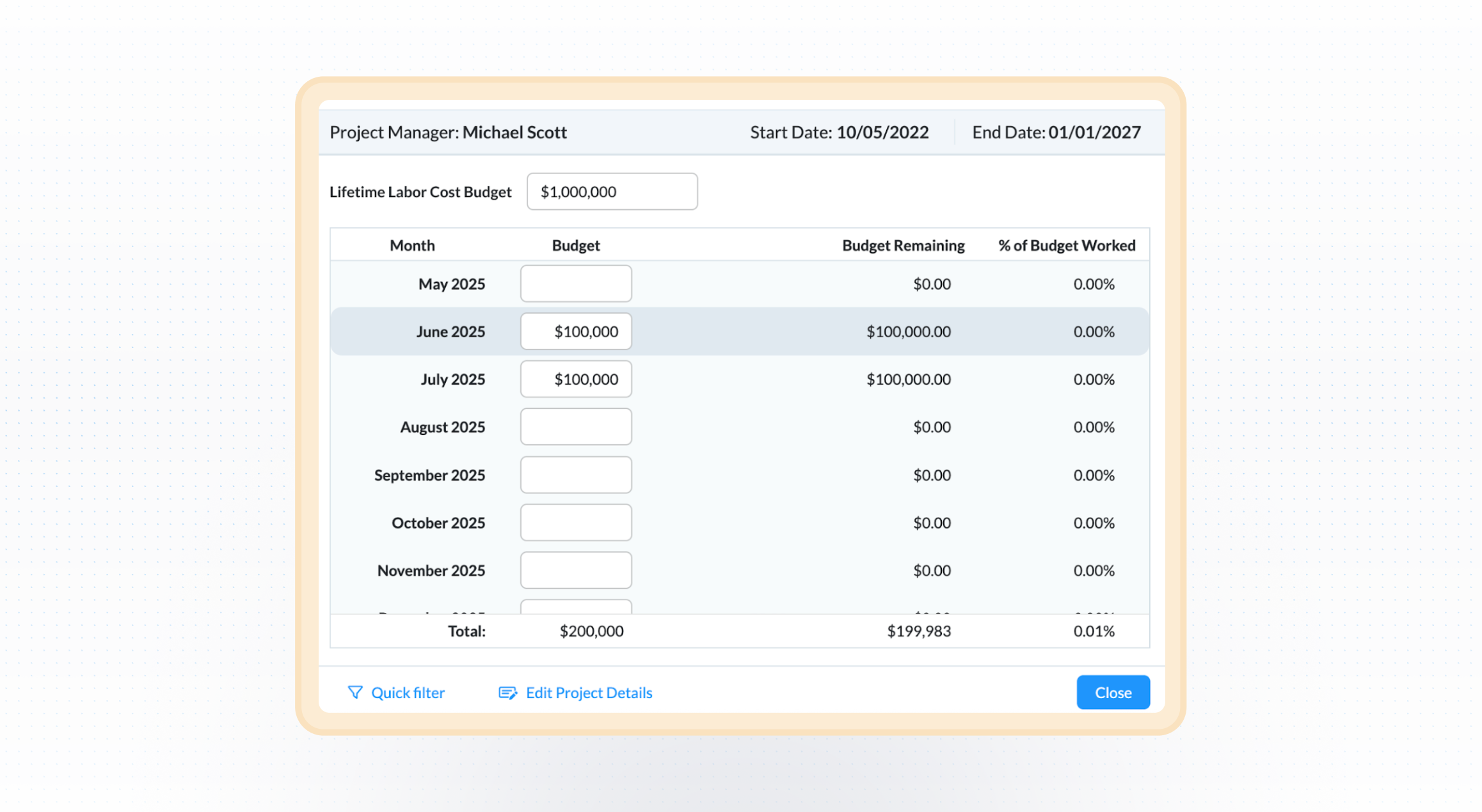
Teams that bill for client work have used ClickTime to protect project margins for years. Now internal teams get the same visibility—set cost-based budgets on R&D, ops initiatives, or any internal work, get alerted before spend gets out of hand, and give finance real-time labor cost data, not a month-end surprise.
Before this, internal projects were a black hole. You could see what client work cost. You couldn’t see what the platform rewrite cost, or the ops initiative, or the R&D investment—not until month-end when it was too late to course-correct. Now every project gets the same real-time cost visibility.
What this means for you:
- Set cost budgets on internal projects the same way you set billing budgets on client work
- Get alerted before a project goes over budget, not after
- Give finance visibility into internal labor costs in real time—not a month-end scramble
- Answer “What did Project X cost?” instantly instead of building a spreadsheet
See how to setup Labor Cost Budgets →
Earlier this quarter: Custom Filters
Earlier this quarter we shipped Custom Filters—the ability to segment your resource view by any attribute that matters to your business: department, skill set, client type, cost center, GL account, or any custom field you’ve already set up in ClickTime. If you haven’t tried it yet, it’s live in your account.
Get started with Custom Filters →
How different teams are using this
Operations leaders and resource managers are using Percent Allocation to plan quarters out without the back-and-forth of revising fake hourly precision, and Operations Mode to push capacity planning out to team leads who previously had to come to them for answers.
Finance leaders are using Labor Cost Budgets to close the visibility gap on internal projects—getting real-time cost data on all work, not just the work billed to clients.
Project managers are using Operations Mode to check team availability and staff projects themselves, without waiting on a resource manager to look it up for them.
These features are available to Premier customers today. Not on Premier? Reach out to your rep to learn more.