



1240+ Reviews
Time Tracking Software

Automated time tracking software that delivers finance-ready data

ClickTime AI captures time from the tools your team already uses—Jira, calendars, Zoom, GitHub—and maps it to the cost codes finance needs.

Get a demo
Trusted by thousands of companies of all sizes

The data finance gets from time tracking is rarely usable as-is.

Most time tracking tools give you a log of hours. The real problem is what happens next: finance exports the data, finds it uncategorized, and spends days reconciling against cost centers and billing structures. 40% of finance leaders don't trust their own labor cost data—and manual time entry is a big reason why.

ClickTime takes a different approach. Our AI reads the digital footprint your team already leaves in tools like Jira, Google Calendar, Zoom, and GitHub—then maps that activity to the project codes, cost centers, and finance categories you actually use. The result: labor cost data that arrives categorized, verified, and ready for billing, budgeting, CapEx, OpEx, R&D tracking, and audits.

Finance-ready data at entry

Every hour is categorized to match the structure finance needs—no reconciliation required

Audit-ready records

Built-in approvals and complete audit trails satisfy auditors and protect compliance

Captured from work, not surveillance

ClickTime AI reads project tools, calendars, and meeting software—no device monitoring, no background tracking

Capture time where work happens—already categorized.

Automated time tracking that doesn't interrupt your team's workflow or crawl their personal activities. ClickTime is the only time tracking software that translates directly into data ready for finance and ops, without burdening employees.

View all features
 

CapEx and OpEx labor tracking

Maximize tax benefits with automated CapEx/OpEx labor categorization


Enterprise time tracking

Enterprise time tracking that turns work hours into finance-ready data across teams, departments, and locations—with the controls large organizations require.

Learn more
 

Resource capacity planning

Plan capacity strategically to avoid resource scrambles

Learn more
 

Integrations and data exporting

Power your ERP, HRIS, and data warehousing with seamlessly integrated, verified labor data


Mobile timesheets

Log hours, capture expenses, and submit timesheets from any device. ClickTime Mobile syncs every entry to your labor cost reporting in real time.

Learn more
 

DCAA compliant timesheets

Protect government contracts with DCAA-compliant labor records

Learn more
 

Single Sign-On (SSO)

Ensure secure, compliant access and streamline IT management with enterprise-grade Single Sign-On (SSO)

Learn more
 

Time entry options

Configure time tracking to deliver the cost data your business needs

Learn more
 

Time sheet approvals

Ensure audit-ready financial records with robust, built-in timesheet approval workflows

Learn more
 

AI Time Tracking for Google Calendar and Outlook

ClickTime imports calendar events and maps them to GL codes, CapEx, OpEx, R&D, and other finance categories—so every hour is tracked and classified correctly.


Jira integration

Developer activity translates directly into finance-ready labor cost data. Admins map Jira projects to cost centers, GL codes, and CapEx/R&D categories—engineers just work in Jira.


Org-wide visibility

However your teams track time—Jira, calendar, ClickTime’s native online timesheets and mobile—it all flows into one system. No gaps, no silos, no spreadsheet reconciliation.

"ClickTime is a game changer. We're able to get the answers we need, and make faster, data-driven decisions around budgeting and managing our projects. ClickTime fundamentally improved how we manage our finances, staff projects, and plan our budgets."
Van Chang
Director of Finance at COPE Health Solutions
Intelligent time tracking and mapping

Your team's work is already tracked in their tools—ClickTime maps it to finance

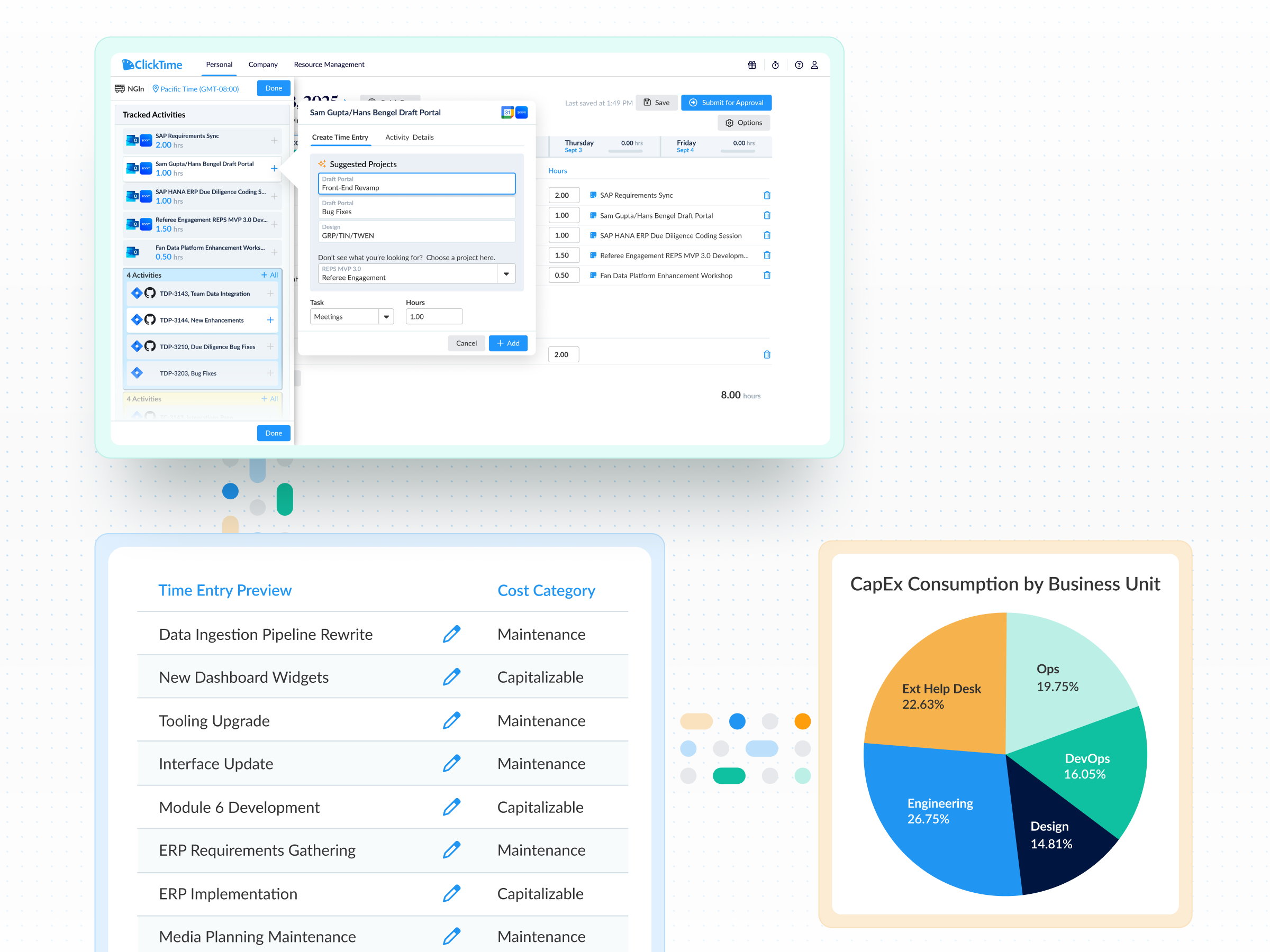
  • ClickTime AI reads employees' digital footprint—calendar events, Jira tickets, Zoom meetings, GitHub commits—and maps activity to custom finance categories like GL codes, CapEx, OpEx, and R&D
  • Optional AI matching suggests the right cost codes based on activity patterns, so employees confirm rather than code from scratch
  • Reminders keep timesheet submissions on track, and managers see who's behind before the close
Answers and dashboards on demand

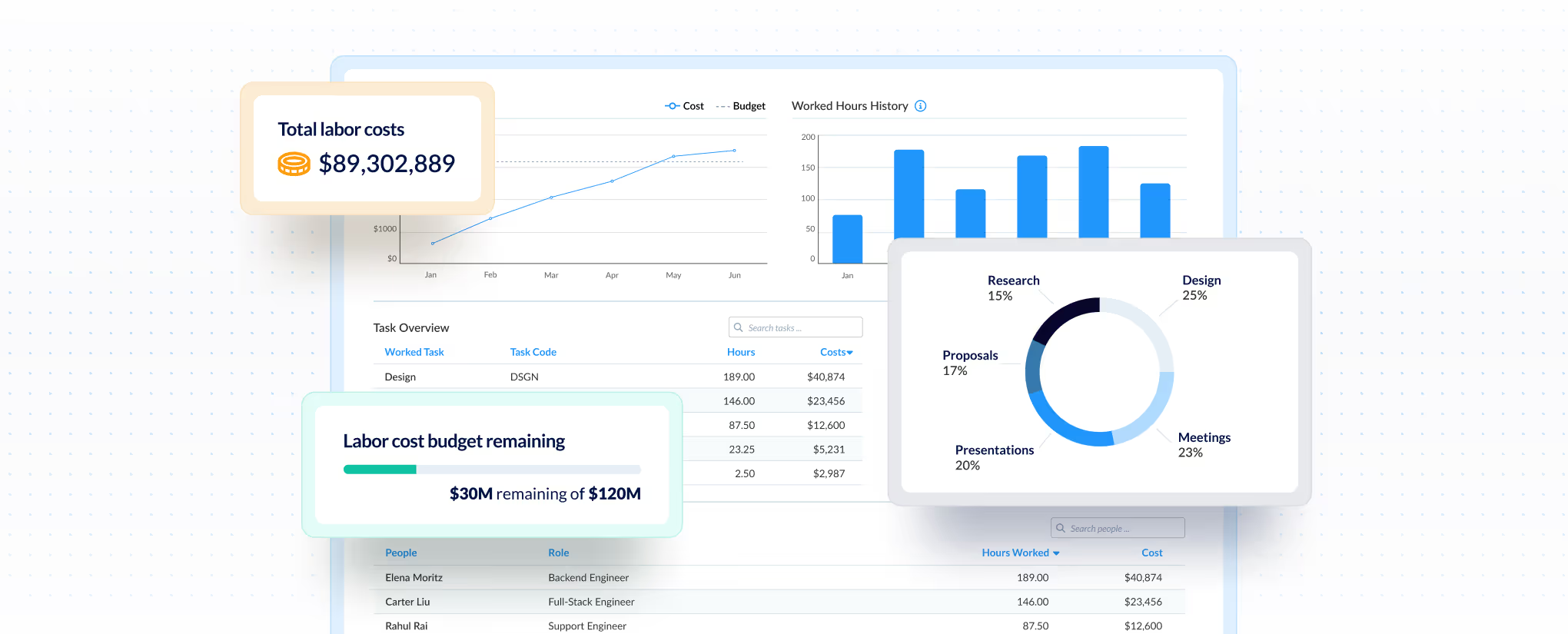
See where hours go—and whether they're earning a return

  • Break down time by the categories that matter to finance—billable vs. non-billable, by client, project, cost center, or department—so leaders spot unproductive patterns before budgets overrun
  • Identify projects that aren't covering their costs and reallocate hours while there's still time to protect margins
  • Replace the spreadsheets 31% of organizations still rely on with real-time reporting that answers where labor dollars actually went
Grant compliance for non-profits

Verified hours with a complete audit trail

  • Multi-level approval workflows match your org structure—every timesheet is reviewed before it hits your books
  • Full audit trail on every entry, edit, and approval protects you when auditors or clients ask questions
  • Lock periods prevent retroactive changes after close, so your labor cost records stay defensible
Integrations

Integrations that capture time where work happens

View all integrations

ClickTime connects to the tools your team already works in—Jira, Google Calendar, GitHub, Zoom, and more—so time data flows into your finance categories without double entry. Smart integrations reduce the friction that leads to inaccurate records, giving finance and operations leaders the labor cost visibility they need to plan capacity and headcount, bill correctly, and make strategic decisions on CapEx, OpEx, and R&D.

ClickTime AI
ClickTime AI
ClickTime AI
ClickTime AI
ClickTime AI
ClickTime AI

The foundation is live. Here's what comes next.

ClickTime AI takes action, not just answers

Today, ClickTime AI surfaces what's happening with your labor costs. What's coming next: you'll tell ClickTime AI what needs to change—a billing rate, a project, a client—and it will handle it. Insight to action, in the same conversation. On the roadmap

MCP integration Bring your verified ClickTime labor cost data into Claude and other AI tools that support MCP—answers available where decisions are already being made. Coming soon

Integrations

Integrations that capture time where work happens

View all integrations

ClickTime connects to the tools your team already works in—Jira, Google Calendar, GitHub, Zoom, and more—so time data flows into your finance categories without double entry. Smart integrations reduce the friction that leads to inaccurate records, giving finance and operations leaders the labor cost visibility they need to plan capacity and headcount, bill correctly, and make strategic decisions on CapEx, OpEx, and R&D.

ClickTime AI
ClickTime AI
ClickTime AI
ClickTime AI
ClickTime AI
ClickTime AI
FAQs

Questions we get often about ClickTime

From basic time tracking to complex compliance needs

See all FAQs
How is ClickTime different from basic time tracking tools?

Most tools give you a log of hours. ClickTime structures every entry by project, client, cost center, and work type—so you get finance-ready labor cost data, not a spreadsheet to clean up.

Will our team actually use time tracking software?

Yes. ClickTime offers multiple entry methods (automation through calendar and Jira integrations with ClickTime AI, and more on the way, ClickTime’s mobile app and web time tracker), pre-filled categories, and reminders. The whole ClickTime team uses the software we build everyday, so we make sure it’s simple and functional.

How long does implementation take?

Most teams are up and running within a few days, but some more complex organizations might take a few weeks. Our implementation team helps configure your cost structure, approval workflows, and integrations.

Does ClickTime integrate with our ERP/accounting system?

Yes. We integrate with leading systems including NetSuite, QuickBooks, Sage Intacct, and more. Data exports map directly to your chart of accounts.

Can ClickTime integrate into my existing billing or accounting system?
Exporting data & integration

Yes! ClickTime integrates with many accounting systems. See the full list on our Integrations page.

Can we import our data into ClickTime, for example, our employees and previous time data?
Pricing

We are able to import timesheet data on an as-quoted basis. Please contact our Sales Team for further information.

How do I demo ClickTime?

Glad you asked! Simply fill out our Demo Request Form, and we'll set up a time to walk you through ClickTime.

What is the best way to track your time for labor cost visibility?

The most effective approach captures time at the moment work happens, categorized by project, client, and cost type. ClickTime structures every entry with the financial context finance teams need—eliminating the manual cleanup that makes most time data unreliable.

How does time tracking improve budget accuracy?

When time is captured with proper cost categorization at entry, finance teams can compare actual labor spend against budgets in real time. This visibility helps catch overruns early and provides the verified data needed for accurate forecasting and resource planning.

What features should I look for in time tracking software?

Look for software that captures time with financial context (project, client, cost center), includes approval workflows for data verification, maintains a complete audit trail, and integrates with tools your team already uses. These features ensure the data is usable for billing, budgeting, and compliance without additional cleanup.

Why is time tracking important for audits?

Audit-ready time tracking provides documented evidence of labor costs tied to specific projects and cost categories. With built-in approval workflows and complete audit trails, organizations can demonstrate compliance and respond to auditor questions with verified records rather than reconstructed estimates.

Is time tracking software better than spreadsheets?

Over 31% of organizations still use spreadsheets for labor cost tracking, and the risks are significant—version control errors, missing entries, and no audit trail. Dedicated time tracking software like ClickTime captures hours at the source, ties them to pre-defined finance categories, and creates approval workflows with a complete audit trail. The result is verified data that's ready for reporting, billing, and compliance without reconciliation.

What's the difference between manual and automated time tracking?

Manual time tracking requires employees to recall and enter hours after the fact, which introduces errors and missing data. The ClickTime AI feature takes a different approach—it reads employees' existing digital footprint from tools like Jira, Google Calendar, and Outlook, then matches that activity to finance-defined categories. Employees review and confirm rather than code from scratch, which improves accuracy and completion rates.

How does automated time tracking work in ClickTime?

ClickTime AI reads the digital footprint your team already creates in tools like Jira, Google Calendar, Zoom, and GitHub—tickets closed, meetings attended, commits pushed—and maps those activities to your finance categories. Employees review and confirm suggested time entries rather than manually coding each hour. There's no device monitoring or background surveillance—data comes from the work tools your team already uses.

Can automated time tracking software integrate with existing tools like payroll or project management?

Yes. ClickTime integrates with project management tools like Jira, calendars like Google Calendar, meeting software like Zoom, and development platforms like GitHub to capture time data where work already happens. On the output side, ClickTime's data export integrations map directly to GL entries and transfer into analysis platforms, ERP systems, and billing tools—so finance gets categorized, verified labor cost data without double entry.

What is the difference between automated time tracking and manual time tracking?

Manual time tracking requires employees to remember and log every hour themselves—often days after the work happened—leading to inaccurate records and uncategorized data. Automated time tracking captures activity from the tools employees already use and maps it to finance-ready categories like cost centers, CapEx, OpEx, and R&D. The result is more accurate labor cost data with less employee burden and no reconciliation work for finance.

Is automated time tracking more accurate than manual time entries?

Significantly. Manual time entries rely on memory and estimates—over half of organizations rely on leadership estimates for labor allocation, which introduces error into every downstream decision. Automated time tracking captures data from actual work activity, reducing guesswork and giving finance verified records they can trust for reporting, billing, and audits.

Stop losing visibility into your largest expense

Book a demo
Ask a question