CapEx labor tracking software for finance teams

ClickTime classifies labor as CapEx or OpEx at the moment of entry—so finance gets documented, audit-ready labor cost data without month-end reclassification.

Get a demo

Classified at entry

CapEx and OpEx labels applied when work is logged—not corrected at close

Audit-ready records

Every entry includes classification, approval, and full change history

Budget vs. actuals

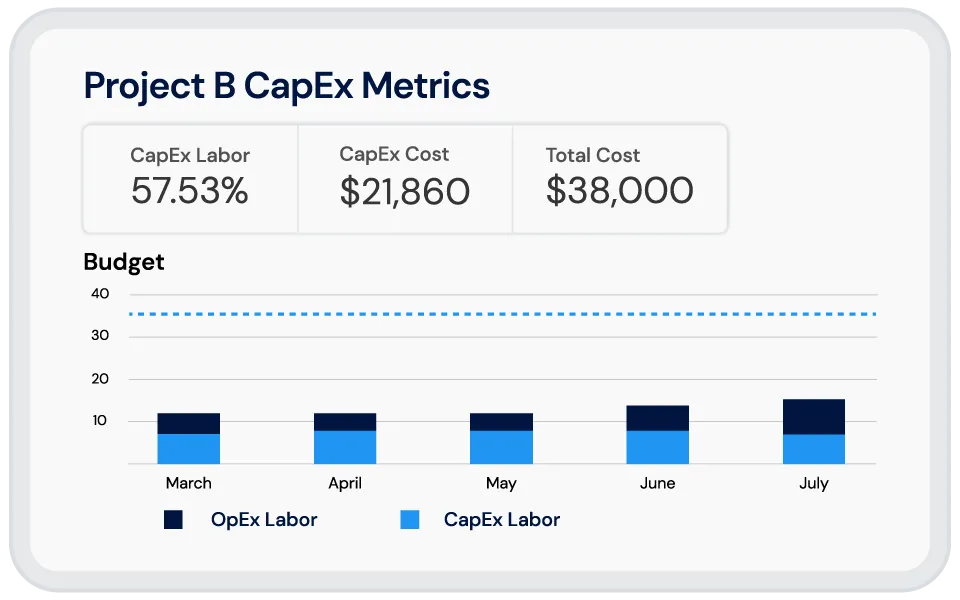
Measure real labor costs against CapEx budgets in real time

"Our accountants take the time data from ClickTime and put people’s salaries to it, so they know exactly how much money we’re spending for each project."
Mike Coles
VP of Global Engineering, Nidec Drive Systems

Every eligible CapEx dollar documented at the source

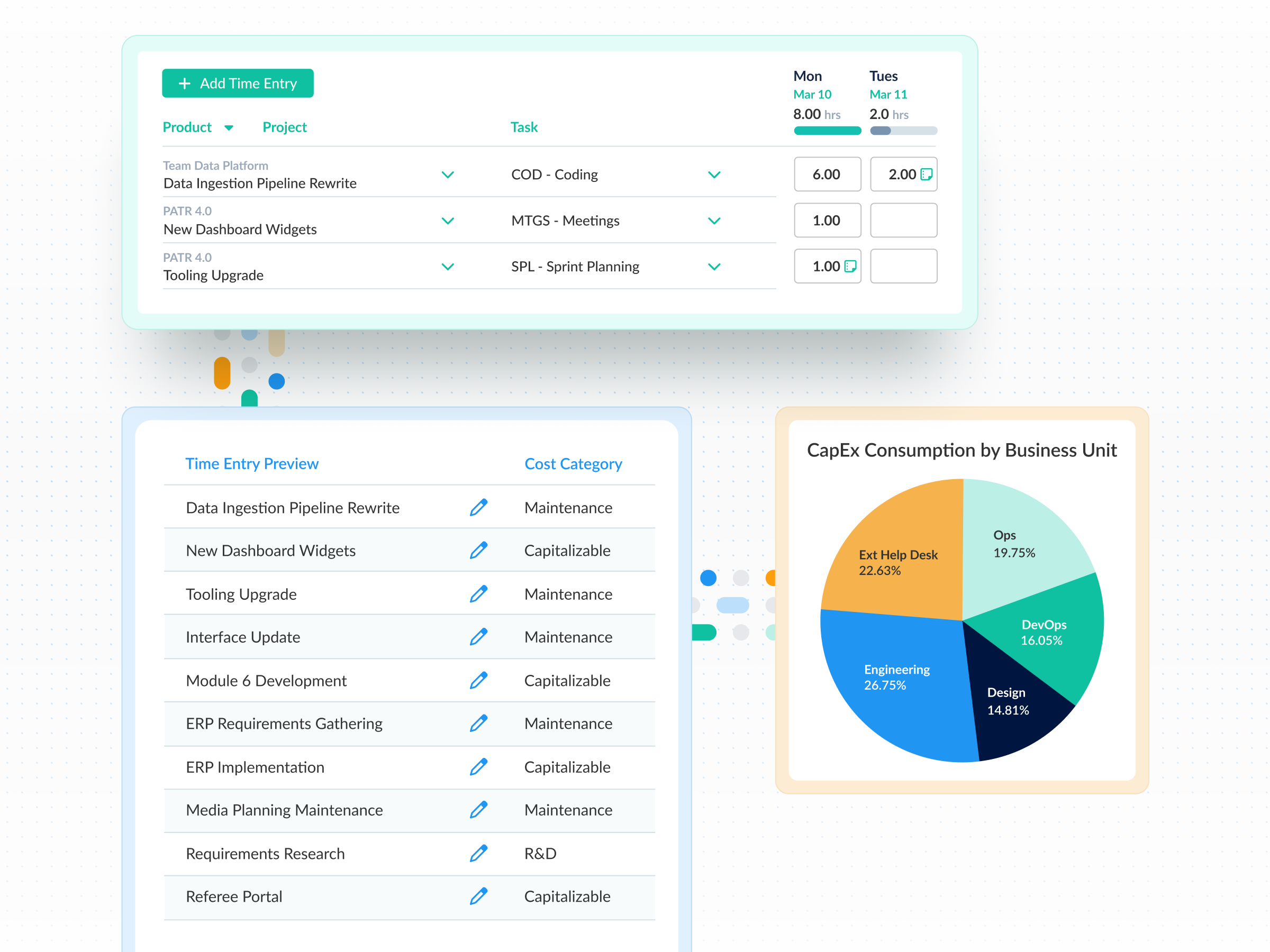
  • Custom fields on time entries separate CapEx from OpEx at the point of collection—no month-end reclassification or guesswork
  • Filtered reporting surfaces eligible capitalizable labor by project, period, or classification so finance can pull defensible numbers in minutes
  • Records are structured for tax documentation and R&D credit filings without additional reconstruction work
ClickTime AI maps employee work into your cost codes

  • ClickTime AI reads the footprint of project management tools, calendars, Google and Microsoft productivity apps, and meeting platforms like Zoom—then maps that activity into the project and cost codes finance and operations need
  • Employees log time without changing how they work, which means higher compliance rates and more accurate CapEx and OpEx data for capital expenditure reporting
  • Finance leaders get classified labor data they can use to plan capacity, manage headcount, protect margins, and support strategic CapEx, OpEx, and R&D decisions

See where CapEx labor is going—and track it against budget

  • The Resource Management Grid shows labor allocation across capital and operational work in real time, giving finance and operations a shared view of where spend is landing
  • The Capacity Planning Heatmap forecasts future CapEx and OpEx labor needs by period—so next year's capital budget reflects actual labor patterns, not leadership estimates
  • Labor cost budgets set per project let teams measure actual spend against both CapEx targets and billable hour goals, so professional services teams can monitor and hit their target margins

Disclaimers

Disclaimer: Always check with your accountant or tax professional to ensure you are aware of the specific rules for when project costs can or cannot be capitalized.

Integrations

Purpose-built for accurate time data capture

View all integrations

Every entry includes approval workflows, complete change history, and instant reporting. Whether it's R&D tax credits, client billing disputes, or grant compliance, you have defensible records without scrambling through spreadsheets or Jira logs.

ClickTime AI
ClickTime AI
ClickTime AI
ClickTime AI
ClickTime AI
ClickTime AI
Integrations

CapEx data that flows into your financial systems

View all integrations

ClickTime connects to your invoicing and financial systems so verified, approved hours flow directly into your billing workflow — no manual re-entry, no reconciliation before the invoice goes out. Every entry includes a complete approval history and change log, so when a client questions a charge, you have the record to back it up.

ClickTime AI
ClickTime AI
ClickTime AI
ClickTime AI
Free eBook Download

How CapEx and OpEx allocations transform your metrics

Learn how gathering the right data with CapEx and OpEx cost tracking can help you make smarter, more informed decisions about your business.

View resource
Explore all resources

Solution FAQs

How do I classify labor as CapEx or OpEx?

In ClickTime, finance defines CapEx and OpEx classification rules using custom fields on time entries. When employees log time, they select the appropriate classification based on the project or activity—so labor is categorized at the point of collection rather than reclassified at month-end. This gives finance teams defensible records that reflect how time was actually spent, not how it was estimated after the fact.

What is the difference between CapEx and OpEx labor?

CapEx labor refers to employee time spent on work that creates or improves a long-term asset—such as internal software development, facility buildouts, or major infrastructure projects. OpEx labor covers ongoing operational activities like maintenance, support, and administration. The distinction matters for financial reporting because capital expenditures are capitalized on the balance sheet and depreciated, while operating expenses hit the income statement immediately.

Why is tracking CapEx labor important for audits?

Auditors need to verify that capitalized labor is properly documented—who did the work, when, on which project, and under what classification. When organizations reconstruct this documentation after the fact, the records are often incomplete or inconsistent. ClickTime creates an audit trail at the point of entry, with timestamps, approval workflows, and full change history on every record, so documentation exists before auditors request it.

Can CapEx tracking software integrate with ERP systems?

Yes. ClickTime is designed to work alongside your ERP—not replace it. Data export integrations map classified labor costs directly to your general ledger entries or transfer structured data into platforms like SAP, NetSuite, or your existing financial analysis tools. This eliminates the double entry that creates friction and leads to inaccurate CapEx records.

Stop losing visibility into your largest expense

Book a demo
Ask a question

Stop reconstructing CapEx labor after the fact

See how ClickTime captures, classifies, and documents labor costs at the source

Book a demo
Ask a question