
Know if you're making money on every project.

Your margins live or die by how well you track and bill for time. ClickTime gives finance and delivery leaders one accurate view of project profitability—so you can stop over-servicing and protect your numbers.

Get a demo
"After implementing ClickTime, we were able to more closely track the exact amount of time and the nature of the time that our Public Relations specialists were dedicating to their clients. ClickTime allowed us to provide incredible detail to our clientele about where their dollars were being put to use. In summary, it has allowed AMP3 Public Relations to become more organized, our clients more informed, and has streamlined our workflow. We can't imagine how we worked without it!"
AMP3 Public Relations

Capture the revenue you're already earning

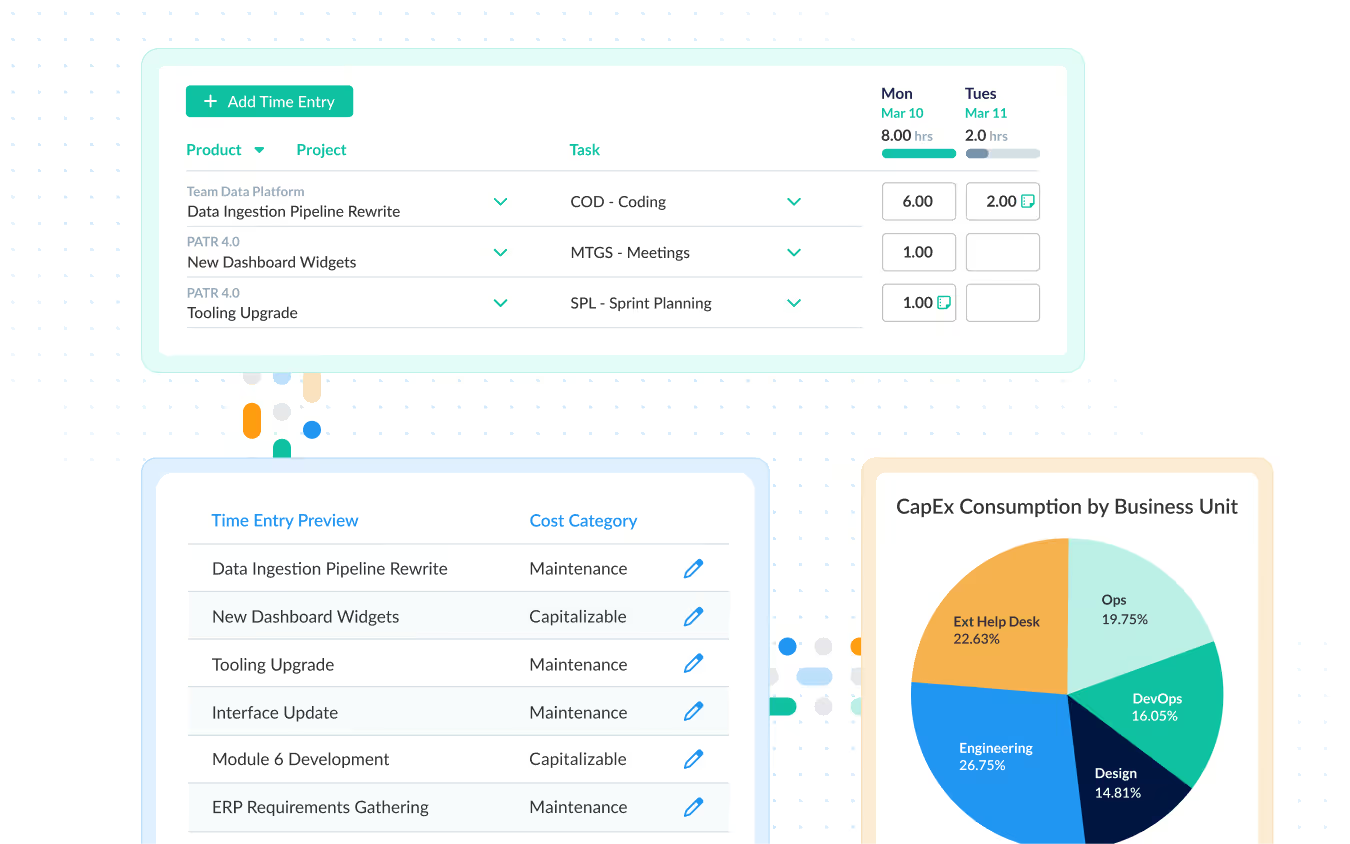
You know you're losing billable hours—you just can't prove how many. ClickTime makes it realistic for staff to actually log time, because billing targets appear directly on their timesheets, not buried in a dashboard they'll never check.

  • Billing goals visible on every timesheet, not hidden in reports
  • Track billable vs. non-billable at the project and task level
  • Automatic reminders that get timesheets done without you chasing

Catch over-servicing before it shows up on the P&L

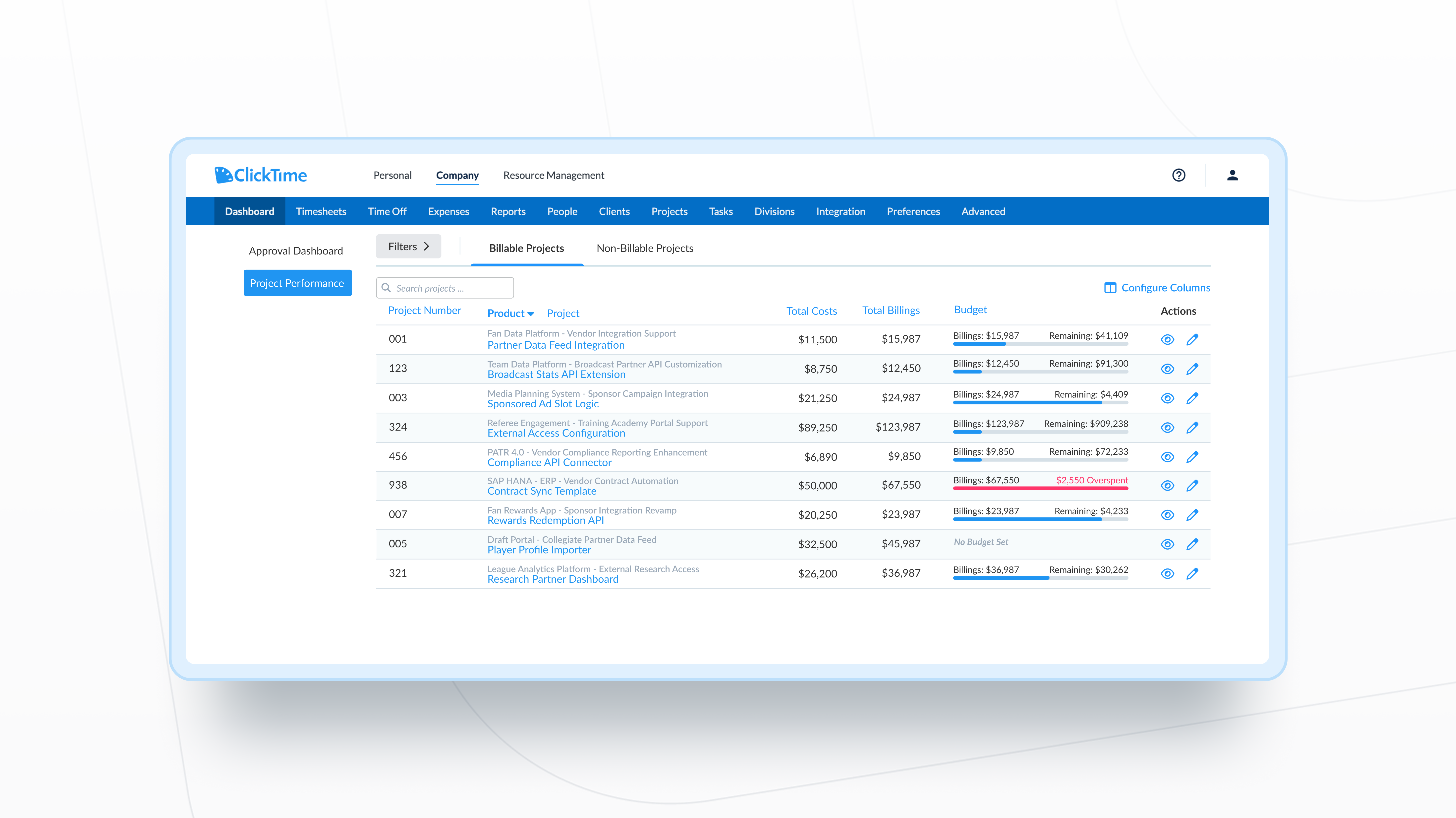
By the time most firms realize a project went over budget, the margin is already gone. ClickTime shows managers real-time burn against budget—and sends alerts at 75%, 90%, and 100%—so they can adjust before profitability disappears.

  • Budget alerts that notify managers before clients see the overage
  • Real-time burn vs. budget visible to project leads, not just finance
  • Custom cost rates so profitability reflects your actual blended costs

Make client commitments you can actually keep

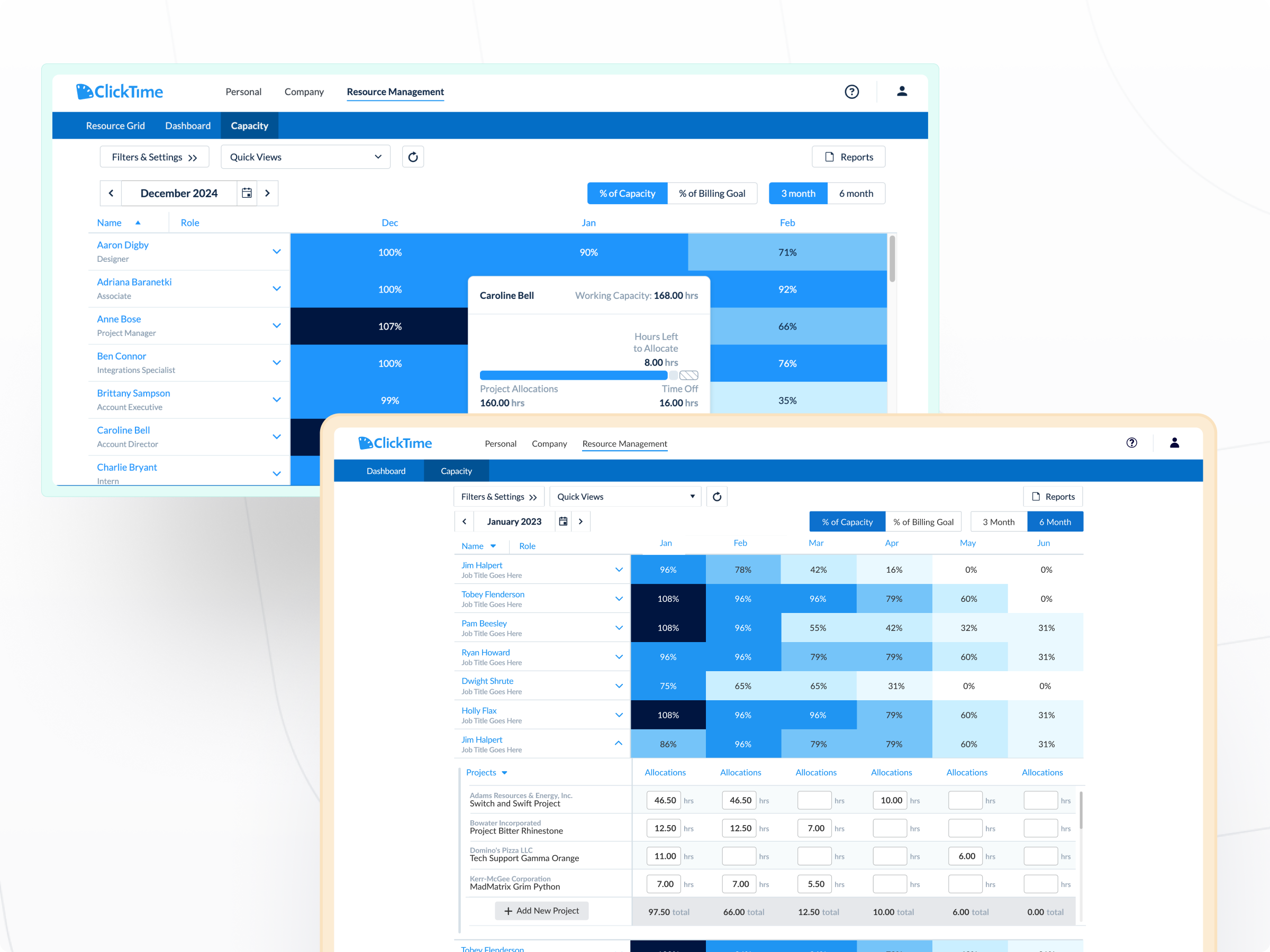
Overloaded teams lead to missed deadlines, burned-out staff, and over-serviced accounts. ClickTime shows capacity 3-6 months ahead—so you can staff projects realistically and say no to work that would tank your margins.

  • See team availability and utilization before committing to new work
  • Allocate hours by client and track actual vs. planned in real time
  • Forecast headcount needs based on the pipeline, not gut feel
Integrations

Purpose-built for labor cost data, not pieced together

View all integrations

Every entry includes approval workflows, complete change history, and instant reporting. Whether it's R&D tax credits, client billing disputes, or grant compliance, you have defensible records without scrambling through spreadsheets or Jira logs.

Smart Connect
Smart Connect
Smart Connect
Smart Connect
Smart Connect
Smart Connect
Smart Connect
Smart Connect
Integrations

Connects to your billing and ERP without spreadsheet cleanup

View all integrations

ClickTime sends approved, categorized time data directly to your accounting and billing tools. No exporting to spreadsheets. No manual re-categorization. No reconciliation before you can invoice.

Smart Connect
Smart Connect
Smart Connect
Smart Connect
Smart Connect
Smart Connect

Solution FAQs

How does ClickTime facilitate effective resource management?

ClickTime’s resource management capabilities offer real-time visibility into your team’s capacity, skill sets, and availability. By centralizing these insights, ClickTime enables seamless allocation of resources, ensuring that the right people are working on the right projects at the right time, enhancing both productivity and employee satisfaction.

Can ClickTime assist with capacity planning and forecasting?

Absolutely. ClickTime provides powerful tools for capacity planning, allowing you to forecast workload and resource requirements accurately. With features like time-off tracking and project demand insights, ClickTime helps you predict hiring needs and manage team workloads efficiently, preventing burnout and ensuring optimal project execution.

How does ClickTime help optimize employee utilization?

ClickTime aids in optimizing employee utilization by tracking billable and non-billable hours and aligning staff talents with project demands. This ensures that employee efforts are effectively contributing to project success and profitability, while also offering insights for potential areas of improvement or additional training.

What makes ClickTime an ideal solution for professional services firms?

ClickTime stands out for its ease of use, comprehensive customization options, and advanced reporting features. Its ability to integrate seamlessly with existing systems makes it a versatile solution for professional services firms looking to enhance time tracking, project management, and financial oversight.

How does ClickTime contribute to increased profitability?

By offering detailed insights into project expenses, labor costs, and billing management, ClickTime helps identify cost-saving opportunities and optimize billing practices. Its advanced reporting capabilities enable firms to spot financial trends and make data-driven decisions that drive profitability across the portfolio.

How is ClickTime different from a PSA tool?

PSA tools like Kantata and Mavenlink are complex platforms built for end-to-end project management—and priced accordingly. ClickTime focuses on one thing: giving you accurate labor cost and profitability data. You get the margin visibility without the 6-month implementation, the change management headache, or the six-figure annual contract.

We already have a time tracking tool. Why switch?

Most time tracking tools capture hours but don't categorize them in ways finance can use. If your current tool requires spreadsheet cleanup before you can invoice or report on profitability, you're doing work ClickTime eliminates. The question isn't whether you track time—it's whether that data is usable.

Can ClickTime handle our billing model?

Yes—retainer, time and materials, fixed fee, hybrid. Set billing rates by person, project, task, or client. Apply blended or exception-based rates. Historical rates stay accurate even when you change them going forward, so past invoices and reports remain defensible.

How long does implementation take?

Most teams are up and running within a few days, but some more complex organizations might take a few weeks. Our implementation team helps configure your cost structure, approval workflows, and integrations.

Stop losing visibility into your largest expense

Book a demo
Ask a question

Your largest expense deserves more than estimates

Join the thousands of professional services firms that have revolutionized their time management and project tracking with ClickTime.

Book a demo
Ask a question