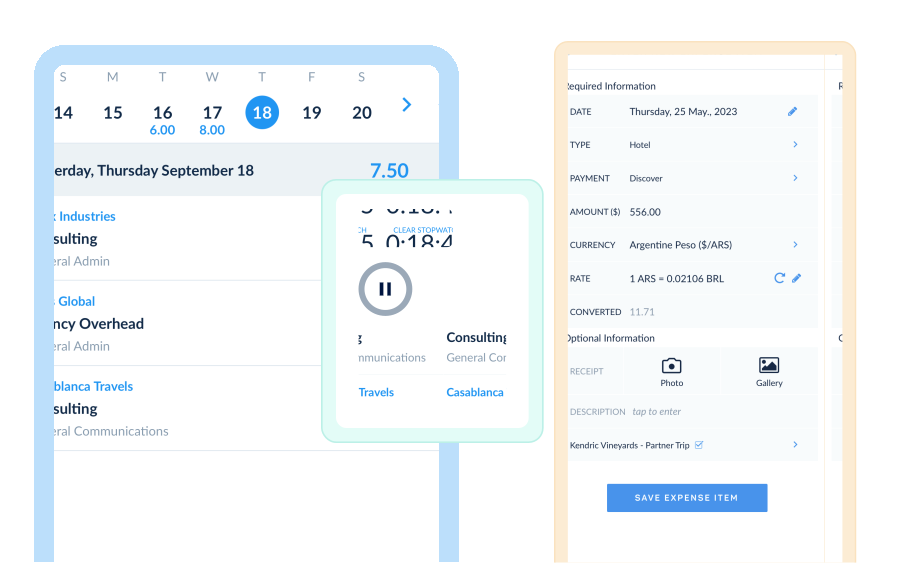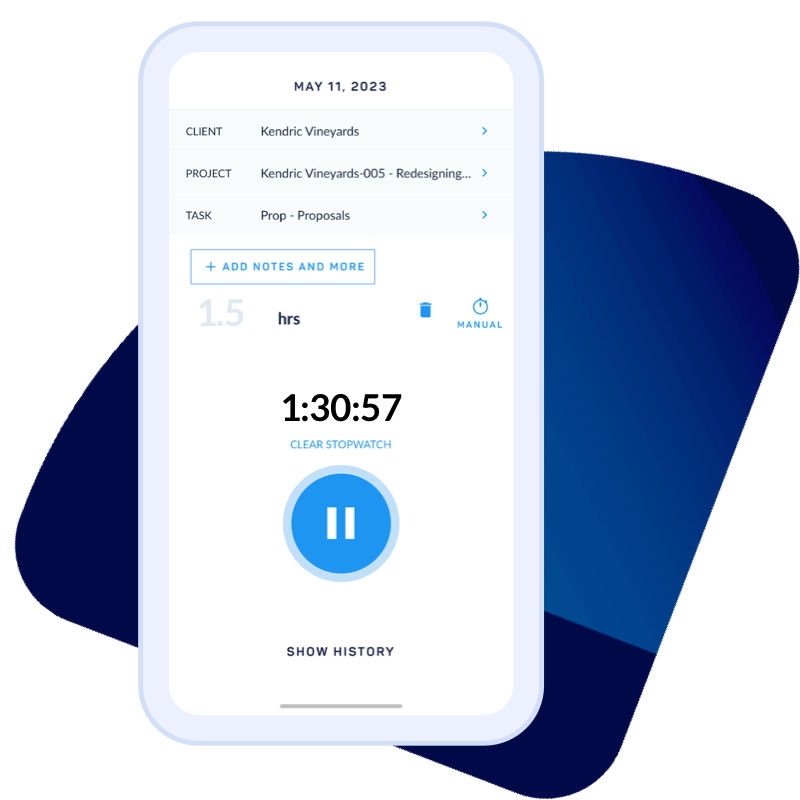




Mobile time tracking that feeds finance-ready data

Log hours, capture expenses, and submit timesheets from any device. ClickTime Mobile syncs every entry to your labor cost reporting in real time.

Get a demo
Trusted by thousands of companies of all sizes

Employee expense and time tracking app

When employees work away from their desks, labor cost data develops gaps—missed hours, late submissions, expenses logged from memory weeks later. ClickTime Mobile closes that gap. Your team logs hours, captures expenses, and submits timesheets from any iOS or Android device, with every entry tied to the same finance-ready categories and approval workflows as desktop. For step-by-step guidance on getting started, visit the ClickTime Mobile support center.

Finance-ready from the field

Every mobile time entry carries the same project codes, billing rates, and cost categories as desktop—no reconciliation needed

Built-in approval workflows

Managers review and approve timesheets from their phone, keeping period closes on schedule

One audit trail, any device

Mobile entries sync to your cloud-based platform in real time, maintaining a complete record for audits

Stop chasing timesheets from remote and field teams

  • Log time against projects and tasks from any mobile device—before the details fade
  • Submit timesheets for manager approval without switching to a desktop
  • Request and track time off directly from your phone
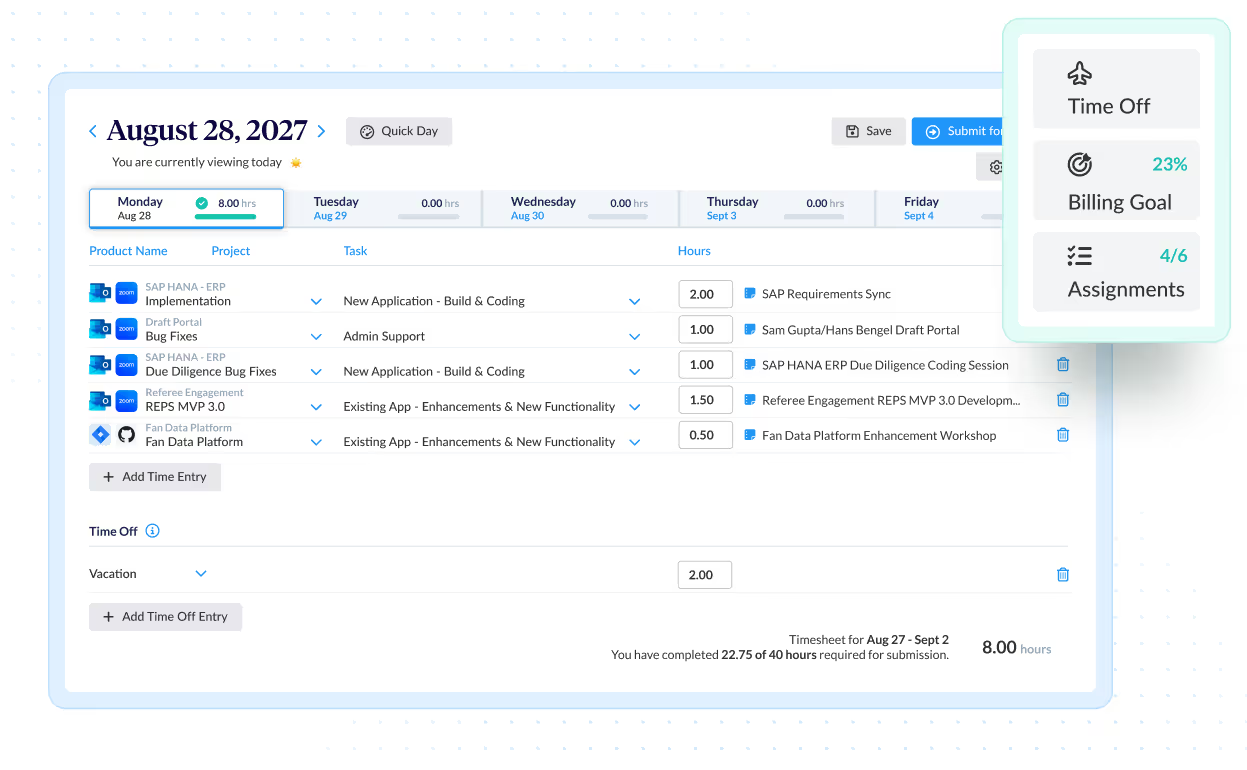
Capture expenses before the receipts disappear

Delayed expense reporting means missing receipts, reconstructed costs, and inaccurate project data. ClickTime Mobile lets employees create expense sheets on the go, snap photos of receipts with their phone camera, and sync expense data for immediate manager review—giving finance the accurate expense tracking data they need for reimbursements and project cost reporting.

Keep timesheet data moving with built-in notifications

  • Employees receive reminders to submit timesheets before period deadlines
  • Managers get alerts when time entries are ready for review and approval
  • Fewer follow-ups and faster period closes keep your labor cost data current
Integrations

Purpose-built for labor cost data, not pieced together

View all integrations

Every entry includes approval workflows, complete change history, and instant reporting. Whether it's R&D tax credits, client billing disputes, or grant compliance, you have defensible records without scrambling through spreadsheets or Jira logs.

Smart Match
Smart Match
Smart Match
Smart Match
Smart Match

Feature FAQs

What are mobile timesheets?

Mobile timesheets are time tracking apps, software, or websites that are built to record worked time on a phone, tablet, or similar device. Data is typically stored in the cloud and synced with any time, budget, expense, or other entries made by the same employee on other devices used to track time.

Are mobile timesheets different than online timesheets?

For the most part, no. The principle (and minor) difference is that mobile timesheets are typically an app, whereas online timesheets are often built to work directly in a browser (i.e., Google Chrome). The functionality of mobile timesheets and online timesheets should be more or less the same. Granted, apps built for mobile devices require slightly different functionality and design.

How do I submit expenses on mobile?

To submit expenses on a mobile device, simply upload an image of a receipt into the the expense track app. Be sure to take a clear photograph of the receipt that captures all the information required by your organization, HR, or accounting department.

Is there an app to keep track of hours worked?

ClickTime Mobile makes time tracking more convenient and efficient. It automatically syncs data to the web, so you’re not tied to your desk. Travel about, meet with clients, conduct market research — all without compromising your task and time management.

How do I create a timesheet on my phone?

To get started, download ClickTime’s iOS version of the app from the App Store, or the Android version from the Google Play store. Once you have downloaded the app, log in using your ClickTime credentials. Once you’ve logged in, simply enter time via the numeric keypad. It’s that easy!

How can I approve timesheet submissions on my phone?

ClickTime’s Timesheet Approvals allows employees to easily submit, review, and approve time. If your organization is utilizing the Timesheet Approvals Module, Administrators can approve time for any employee while Managers can be set up to approve the time of their employees. Employees can be set up with a Timesheet Approver if they will be submitting time for approval.

What is a mobile timesheet app?

A mobile timesheet app lets employees track their work hours, log time against projects, and submit timesheets directly from their smartphone or tablet. ClickTime Mobile syncs this data in real time to your organization's labor cost reporting system, so finance and operations teams always have accurate records.

How do mobile timesheets work with payroll and accounting software?

ClickTime Mobile syncs time entries to the cloud instantly. From there, you can export data or integrate directly with accounting and ERP systems. This gives payroll and finance teams the verified labor data they need without manual re-entry.

Can employees track expenses with ClickTime Mobile?

Yes. ClickTime Mobile lets employees create expense sheets and capture receipt photos directly from their phone. Expenses sync automatically to the web for manager review, supporting faster reimbursements and more accurate project cost tracking.

Is my time tracking data secure on the mobile app?

ClickTime uses enterprise-grade security to protect your data. All information synced through ClickTime Mobile is encrypted and stored securely in our cloud-based system, maintaining the audit-ready records finance teams require.

What are mobile timesheets?

Mobile timesheets let employees log work hours, submit time entries, and track time off from a smartphone or tablet instead of a desktop computer. With ClickTime Mobile, every timesheet entry syncs to your cloud-based platform in real time—so finance and operations leaders get the same audit-ready labor cost data whether employees are in the office, in the field, or working remotely.

How do mobile timesheets work with ClickTime?

ClickTime Mobile is available on iOS and Android. Employees open the app, select their project and task, and log hours—all of which sync to the cloud platform in real time. Managers can review and approve submitted timesheets from their own device, and finance gets the same categorized, finance-ready data they'd see from desktop entries. For setup details, visit the ClickTime Mobile support center.

Is my time tracking data secure on the mobile app?

Yes. ClickTime Mobile uses the same security infrastructure as the full cloud platform, including encryption in transit and at rest. All data syncs to ClickTime's cloud servers—nothing is stored locally on the device. Your time tracking data, expense records, and approval history are protected by the same controls that enterprise finance teams rely on.

Can managers approve timesheets from their phone?

Yes. ClickTime Mobile sends managers push notifications when timesheets are submitted and ready for review. Managers can approve or return time entries directly from the app, keeping approval workflows moving without waiting for desktop access. This reduces the delays that cause late period closes and unreliable labor cost records.

How do mobile timesheets work with ClickTime?

ClickTime's mobile app lets employees log hours against projects, submit timesheets for approval, and capture expenses from any iOS or Android device. Every mobile entry syncs to the same cloud-based platform as desktop entries, carrying identical project codes, billing rates, and cost categories. Managers can review and approve timesheets directly from their phone.

Can managers approve timesheets from their phone?

Yes. ClickTime Mobile includes full timesheet approval workflows on iOS and Android. Managers receive push notifications when time entries are submitted and can review, approve, or return timesheets without opening a laptop. This keeps period closes on track even when managers are traveling or working remotely.

Is my time tracking data secure on the mobile app?

ClickTime Mobile uses the same enterprise-grade security as the desktop platform, including encryption in transit and at rest. All data syncs to ClickTime's cloud infrastructure in real time, so nothing is stored solely on the device. For details on security practices, visit the ClickTime Mobile support center.

Are mobile timesheets different from online timesheets?

Mobile timesheets and online timesheets in ClickTime share the same data structure, approval workflows, and audit trail. The difference is access: mobile timesheets let employees and managers log, submit, and approve time entries from a phone or tablet. Every entry syncs to the same platform, so finance sees one consistent dataset regardless of how it was captured.

The Mobile App for Time Tracking

We’re obsessed with making it easy for employees to track their time. Whether you prefer using a mobile app, online timesheets, or tracking time through Google Calendar — we’ve got you covered!

Book a demo
Ask a question

Stop losing visibility into your largest expense

Book a demo
Ask a question