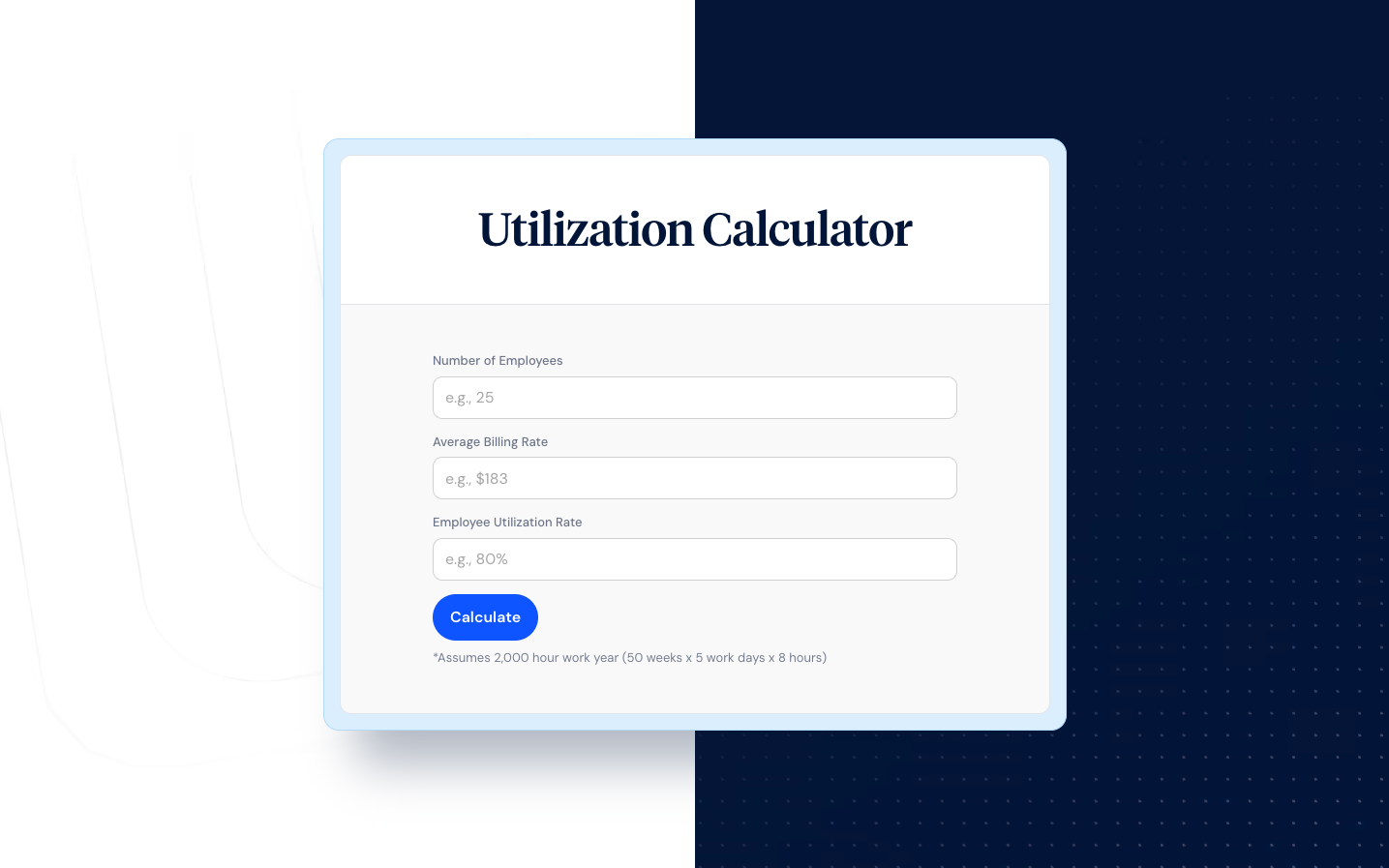
How efficiently is your team using its available time?
For professional services firms, labor is the largest expense—and the primary source of revenue. Understanding how your team spends their available hours directly impacts your profit margin, project profitability, and ability to forecast future capacity.
This employee utilization rate calculator helps you measure the percentage of time your team spends on billable work versus total available hours. Whether you're tracking billable utilization rate for client work or resource utilization for internal planning, you'll get the insight you need to make better staffing and pricing decisions. Use this utilization calculator to calculate your team's utilization rate and benchmark performance against industry standards.
What is employee utilization rate?
Employee utilization rate measures the percentage of an employee's available hours spent on productive or billable work. It's a key performance indicator for professional services firms because it directly connects workforce activity to revenue generation and employee productivity.
The utilization rate formula is straightforward. Calculating the utilization rate involves dividing billable hours by total available hours:
Utilization Rate = (Billable Hours ÷ Total Available Hours) × 100
For example, if one employee works 40 available hours per week and logs 32 billable hours, their utilization rate would be 80%. This tells you that 80% of their paid time generated revenue for the firm.
Unlike productivity metrics that measure output quality, utilization specifically tracks how time is allocated. A team member could be highly productive on internal projects but show low utilization if that work isn't billable to clients. Understanding this distinction between utilization and productivity helps managers set appropriate utilization targets per employee.
Billable utilization rate vs. resource utilization: how does utilization differ?
Professional services firms typically track two types of utilization, and understanding how utilization differs between them is essential for accurate analysis:
Billable utilization rate
Billable utilization measures hours that can be invoiced to clients as a percentage of total available hours. This utilization measures the direct revenue-generating activity and is the primary focus for most professional services finance teams. The billable utilization rate directly impacts your profit margin and overall utilization figures.
Billable Utilization = (Billable Hours ÷ Available Hours) × 100
Resource utilization rate
Resource utilization includes all productive work—both billable and non-billable—as a percentage of total capacity. This broader measure captures internal projects, business development, training, and administrative work that doesn't generate direct revenue but supports firm operations and available capacity.
Resource Utilization = (Total Productive Hours ÷ Available Hours) × 100
Most firms track utilization rates across both metrics. A consultant might show 65% billable utilization but 85% resource utilization—meaning they're productive, but a significant portion of their work isn't generating client revenue. This gap often signals opportunities to recover billable hours that may be slipping through the cracks. Monitoring employee utilization across both categories provides real-time insights into employee productivity and helps identify where the team's utilization can improve.
What is a good utilization rate? Benchmarks by industry
A good utilization rate varies significantly by role, industry, and business model. Chasing 100% utilization is counterproductive—it leaves no room for business development, professional growth, or the administrative work that keeps firms running.
Industry benchmarks for billable utilization
- Law firms: 60-80% for associates, 50-60% for partners (who spend more time on client development)
- Accounting firms: 55-75%, with seasonal spikes during tax season
- Consulting: 70-85% for delivery staff, lower utilization for principals
- Architecture and engineering: 60-75%, accounting for design iterations and project coordination
- Marketing and creative agencies: 60-80%, with variation based on project complexity
What a good employee utilization rate looks like
A good employee utilization rate balances revenue generation with sustainability. The average utilization rate typically falls 5-15% below maximum capacity to account for:
- Administrative tasks and internal meetings
- Business development and client relationship building
- Professional development and training
- Vacation, sick time, and holidays
- Buffer for unexpected client needs
Organizations that push for high utilization rates often see higher utilization correlate with employee burnout, employee turnover, and declining work quality—ultimately hurting profitability and employee morale more than lower utilization would. Understanding the ideal utilization rate for your firm helps you set realistic utilization targets that balance profitability and employee wellbeing.
Ideal utilization rate formula for professional services
Beyond tracking current utilization rate, forward-thinking firms calculate their ideal utilization rate—the target that maximizes profitability without sacrificing quality or team sustainability. The ideal utilization rate formula accounts for your revenue goals, labor costs, and overhead:
Ideal Utilization Rate = (Resource Costs + Overhead + Target Profit) ÷ (Total Available Hours × Average Hourly Rate)
For example, if a single employee costs $80,000 annually (salary plus benefits), contributes $20,000 in overhead allocation, and you target $30,000 in profit per employee, you'd need to generate $130,000 in revenue. At an average rate of $150 per hour and 1,880 available hours, the calculation would be:
Ideal Utilization = $130,000 ÷ (1,880 × $150) = 46%
This example shows a relatively low utilization threshold because the hourly rate is high. Firms with lower billable rates need higher utilization to achieve the same profitability targets. Use this formula alongside the utilization rate calculator to understand the ideal utilization rate for your specific business model.
Optimal billing rate formula
You can also work backward from your target utilization to determine your optimal billing rate. The optimal billing rate formula helps ensure your pricing supports profitability at realistic utilization levels:
Optimal Billing Rate = (Total Labor Cost + Overhead + Target Profit) ÷ (Available Hours × Target Utilization Rate)
If your target utilization rate is 75% and you have 1,880 available hours, your expected billable hours would be 1,410. Dividing your $130,000 revenue target by 1,410 hours gives an optimal billing rate of approximately $92 per hour.
Factors that affect employee utilization and productivity
Understanding which factors affect the employee utilization rate helps you identify improvement opportunities without simply demanding more billable hours from your team.
Workload distribution
Uneven work allocation creates pockets of overutilization and underutilization across your team. Without visibility into who's available and who's overbooked, work often flows to the same high-performers while others sit idle with low utilization.
Project mix and client demand
Seasonal fluctuations, project delays, and gaps between engagements naturally create utilization swings. Firms with diverse client portfolios typically see more stable average utilization rates across periods and more predictable future utilization.
Administrative burden
Time spent on timesheets, expense reports, internal meetings, and other non-billable tasks directly reduces available time for client work. According to industry research, professionals lose significant productive time to administrative overhead each week, creating a drop in utilization that affects overall productivity and efficiency.
Skill matching
When employee skills don't align with available projects, utilization suffers. A senior developer assigned to junior-level tasks represents both underutilization of their capabilities and inflated project costs at their higher hourly rate.
Time tracking accuracy
Poor time tracking habits lead to lower utilization in two ways: unbilled hours that were actually worked, and inaccurate data that makes it impossible to identify real improvement opportunities. Finance leaders report that unreliable labor cost data is one of their top challenges—with many relying on estimates rather than verified records from consistent utilization tracking.
How to calculate utilization rate step by step
Calculate employee utilization by gathering accurate time data and establishing clear definitions of what counts as "billable" and "available" hours. Here's how to calculate the utilization rate for an individual or team:
Step 1: Define available hours
Start with total working hours in the period (typically 2,080 hours annually for a full-time employee in the US). Subtract:
- Company holidays
- PTO and sick time taken
- Any other paid non-working time
This gives you total available hours—the denominator in your utilization formula and the baseline for utilization calculations.
Step 2: Track billable hours
Sum all hours that can be invoiced to clients during the period. This requires consistent time tracking practices and clear guidelines on what qualifies as billable work. Your total billable hours become the numerator when you calculate utilization rate.
Step 3: Apply the utilization rate formula
Divide billable hours by available hours, then multiply by 100 to express as a percentage:
Example: An employee has 1,880 available hours annually (2,080 minus holidays and PTO). They log 1,410 billable hours.
Utilization Rate = (1,410 ÷ 1,880) × 100 = 75%
Step 4: Calculate average utilization rate across the team
To find average employee utilization rates for a department or firm, sum total billable hours for all employees and divide by total available hours. This gives you a capacity utilization rate that reflects overall team productivity. You can also calculate the average utilization ratio by averaging individual utilization rates, though this method can be skewed by part-time employees.
Track utilization rates consistently using a utilization report to monitor trends over time and identify when the utilization rate is low or when certain team members need support.
How to track utilization rates effectively
Accurate utilization tracking requires more than just collecting timesheet data—it demands consistent processes, clear definitions, and regular analysis. Here's how to build a utilization tracking system that delivers actionable insight:
Establish clear time categories
Define what counts as billable versus non-billable work before you start tracking. Common billable categories include client meetings, project work, and deliverable creation. Non-billable categories typically include internal meetings, administrative tasks, and professional development. When these definitions are unclear, your utilization report becomes unreliable.
Choose your tracking frequency
Most firms track utilization weekly or monthly, with quarterly and annual rollups for strategic planning. Weekly tracking helps identify issues quickly—a sudden drop in utilization for a single employee might signal project delays or capacity problems. Monthly reports provide enough data to spot meaningful trends without overwhelming managers with noise.
Generate regular utilization reports
A utilization report should include individual utilization rates, team averages, and comparisons to targets. Include trend data showing whether utilization is improving or declining over time. The best reports also break down utilization by project, client, or service line to identify which work generates the highest returns.
Use utilization data for planning
Utilization tracking isn't just about measuring past performance—it's about informing future decisions. Low utilization rates may indicate overstaffing, sales pipeline issues, or skill mismatches. High utilization rates may signal the need to hire, raise rates, or implement better boundaries to prevent employee burnout.
How to improve utilization rates without burning out your team
Sustainable utilization improvement focuses on reducing friction and waste—not demanding longer hours. Here are proven strategies to increase utilization and optimize utilization while protecting your team's wellbeing:
Reduce administrative overhead
Every hour spent on timesheets, status reports, and internal coordination is an hour not spent on client work. Audit your administrative requirements and eliminate anything that doesn't directly serve clients or compliance needs to improve utilization rates across the organization.
Improve resource allocation visibility
When managers can see real-time availability across the team, they can better match people to projects. Resource management tools that surface capacity gaps help prevent both over- and underutilization while providing insights into when higher utilization is achievable.
Track utilization consistently
You can't improve utilization if you can't measure it accurately. Implement consistent time tracking practices that capture all billable work without creating additional administrative burden. The goal is finance-ready data that provides reliable insight into where average labor hours actually go.
Address scope creep proactively
Unbilled scope creep is one of the biggest drains on utilization directly. When additional client requests aren't tracked and billed, employee works longer hours while utilization metrics stay flat. Clear change order processes protect both utilization and employee morale.
Optimize project scheduling
Gaps between project phases or client engagements create utilization dips that are often preventable. Pipeline visibility helps identify upcoming slow periods so you can schedule internal work, training, or business development activities strategically.
Balance utilization targets by role
Not every role should have the same target utilization rate. Senior staff often have lower billable targets to account for mentoring, sales, and strategic work. Setting role-appropriate targets prevents the frustration of chasing impossible numbers and helps include employee development in your planning.
Why monitoring utilization rate matters for profitability
For professional services firms, the connection between utilization and profitability is direct: more billable hours at appropriate rates means higher revenue with the same headcount. Monitoring utilization provides the foundation for data-driven business decisions.
Revenue forecasting
Historical utilization data combined with current capacity gives you a realistic picture of revenue potential. If your team's utilization averages 70% and you have 10 FTEs, you can forecast roughly 14,560 billable hours annually (2,080 × 10 × 0.70). Understanding your utilization rate typically helps predict future utilization and revenue more accurately.
Pricing decisions
Your optimal utilization rate depends on your billing structure. A consultant who bills $200/hour at 80% utilization generates different annual revenue than one at 60% utilization. Understanding this relationship helps you set rates that achieve your profit margin targets using the optimal billing rate formula.
Staffing and capacity planning
Utilization trends signal when to hire and when to hold. Consistently high utilization across the team—especially above 85%—often means you're leaving revenue on the table by turning away work. Low utilization rates may indicate overstaffing or sales pipeline issues that need attention before they impact profitability.
Project profitability analysis
Comparing utilization rates across projects reveals which engagements actually make money. A project might show strong revenue but poor profitability if it required significant unbilled hours or pulled resources from higher-margin work. Tracking project-level utilization rates helps you make smarter decisions about which work to pursue.
Professional services leaders who track utilization effectively gain the insight they need to protect margins, forecast accurately, and deploy their teams on the highest-value work. Learn how ClickTime helps professional services firms turn time data into finance-ready reports that drive better business decisions.
Use the employee utilization rate calculator
Ready to calculate your team's utilization rate? Enter your billable hours and available hours in the utilization calculator above to see your current utilization rate instantly. This utilization rate calculator provides immediate insight into how efficiently your team is spending their available time.
For ongoing utilization tracking that integrates with your billing and project budgeting workflows, explore how ClickTime provides the audit-ready time data professional services firms need to optimize utilization and improve profitability.